Restaurant operations • Pre-shift
A pre-shift meeting template for restaurants.
The ten minutes before service decide how the night goes. Here is an agenda to copy, and how Gid makes sure the specials, the allergens and the changes reach everyone, including the people who arrived late.
No contract. No commitment. No credit card.
Our job is to earn our place on your floor, not to lock you in.
Last updated September 24, 2026
Gid
Founders rate • Lifetime$29 $89 USD per location per month
- Tasks, schedule and team chat in one app
- Continuous training tuned to your menu
- Daily reports that surface what matters
- An AI assistant that knows your documents
- Your whole team in. Adding people never raises your bill.
First 250 worldwide • rate locked, no contract
Why the huddle does not stick
What is said at the huddle is forgotten by the second table
A good pre-shift meeting is short, specific and repeated. Most are none of the three.
Absent
Half the team is not there
The bar arrives later, the dishwasher starts earlier, and the server who called in never hears it.
Memory
Nothing is written down
The 86 list and the special are said once, out loud, over the noise of the kitchen.
Proof
Nobody knows who heard it
The manager cannot tell who knows about the new allergen until someone serves it.
Focus
Too many topics
Ten announcements in ten minutes, and the team remembers none of them.
Hand-off
The day team knows, the night team does not
The morning's problems stay with the morning, and the night team learns them from a guest.
Thanks
Nobody is thanked
The meeting is a list of problems. The server who saved the Saturday rush hears nothing.
The pre-shift agenda
A ten-minute pre-shift meeting, start to finish
Four blocks to copy. Keep it standing, keep it short, and keep one focus.
Before the meeting
The manager's five minutes
- Covers and reservations: large parties, occasions, allergy notes.
- Staffing against the schedule, and who is on which section.
- The 86 list and today's specials, confirmed with the kitchen.
- One thing that went wrong yesterday, and one that went right.
First
The night ahead
- Who is where: sections, stations and breaks.
- The covers expected, and the busiest moment of the night.
- The specials: what they are, how to describe them, what they pair with.
- The 86 list, and anything running low.
Then
Safety and the standard
- Allergens in the specials, and any change to a dish.
- One service focus for the night, such as check-backs or pacing.
- A guest review worth reading aloud, good or bad.
- Questions from the team.
To close
Thanks, and the follow-through
- Thank one person by name, for something specific.
- Post the key points where the whole team will see them.
- Leave a note for the next team before you go home.
How Gid carries each part
Seven parts of the huddle, and where each lives in Gid
The meeting stays yours. Gid carries it to the people who were not in the room.
| Agenda item | In Gid |
|---|---|
| Who is where | Everyone can see the team schedule by role, and each person confirms their own shifts on the phone. |
| The specials and the 86 list | An announcement can appear right after someone clocks in with Gid, and ask each person to acknowledge it. |
| Allergens and dish changes | Build a menu training from your menu, and keep the allergen matrix and the server cheat sheets under Menus, open to the team. |
| A guest review | Discuss a Google review in the team chat, or link it to a training as a real example. |
| Thanks, by name | Hand someone The Pass for carrying the floor, having their back or staying calm under fire. It shows on the team's wall. |
| The people who missed it | Each person's daily briefing in the Gid chat brings their shifts, their tasks, the new announcements and documents, and their next training. |
| The next team | After clocking out, leave a handoff note for the next team. It waits at the top of their schedule until they mark it read. |
How it works in Gid
Before, during and after the huddle
Three views, one app, nothing pinned to a corkboard.
Step 1
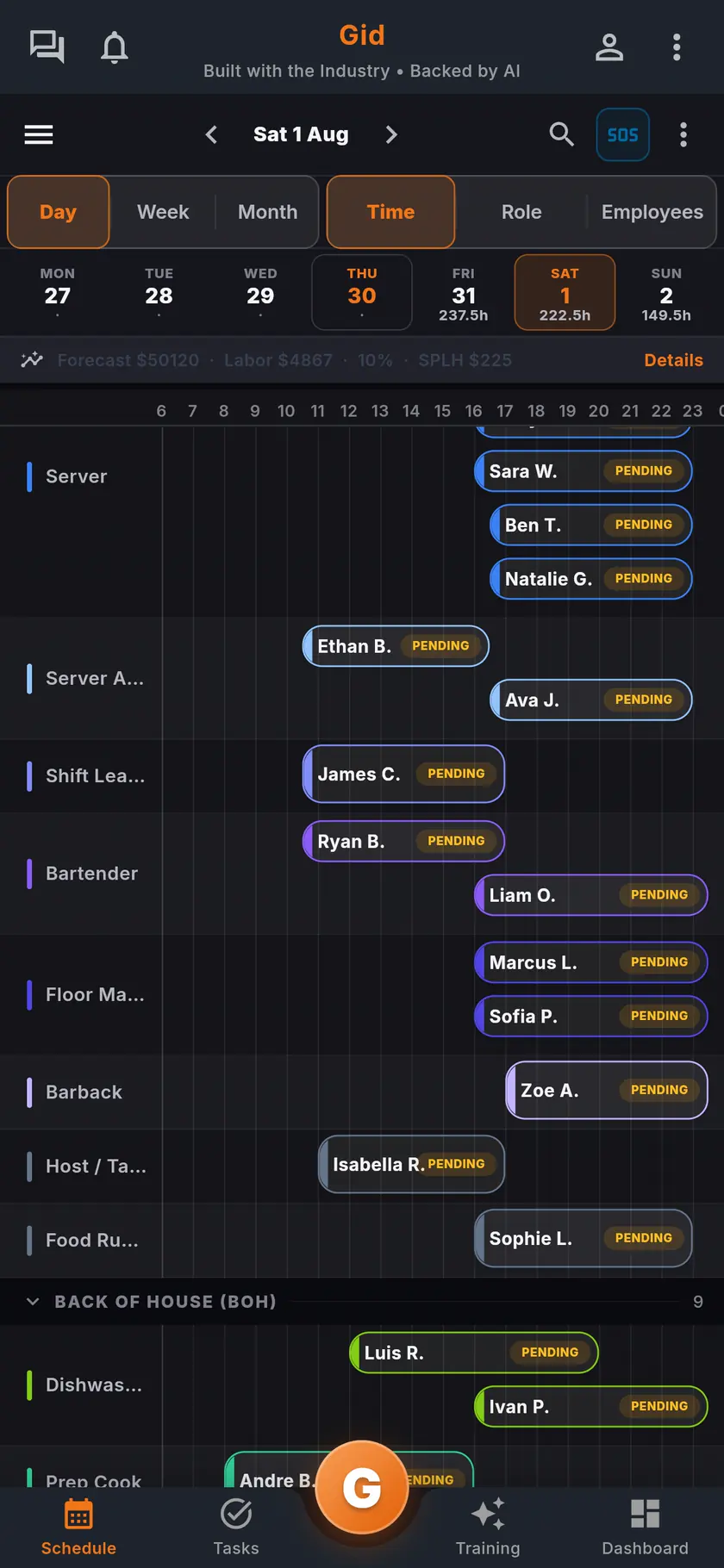
Know who is on
The team schedule shows who works tonight, by role, before anyone walks in.
Step 2
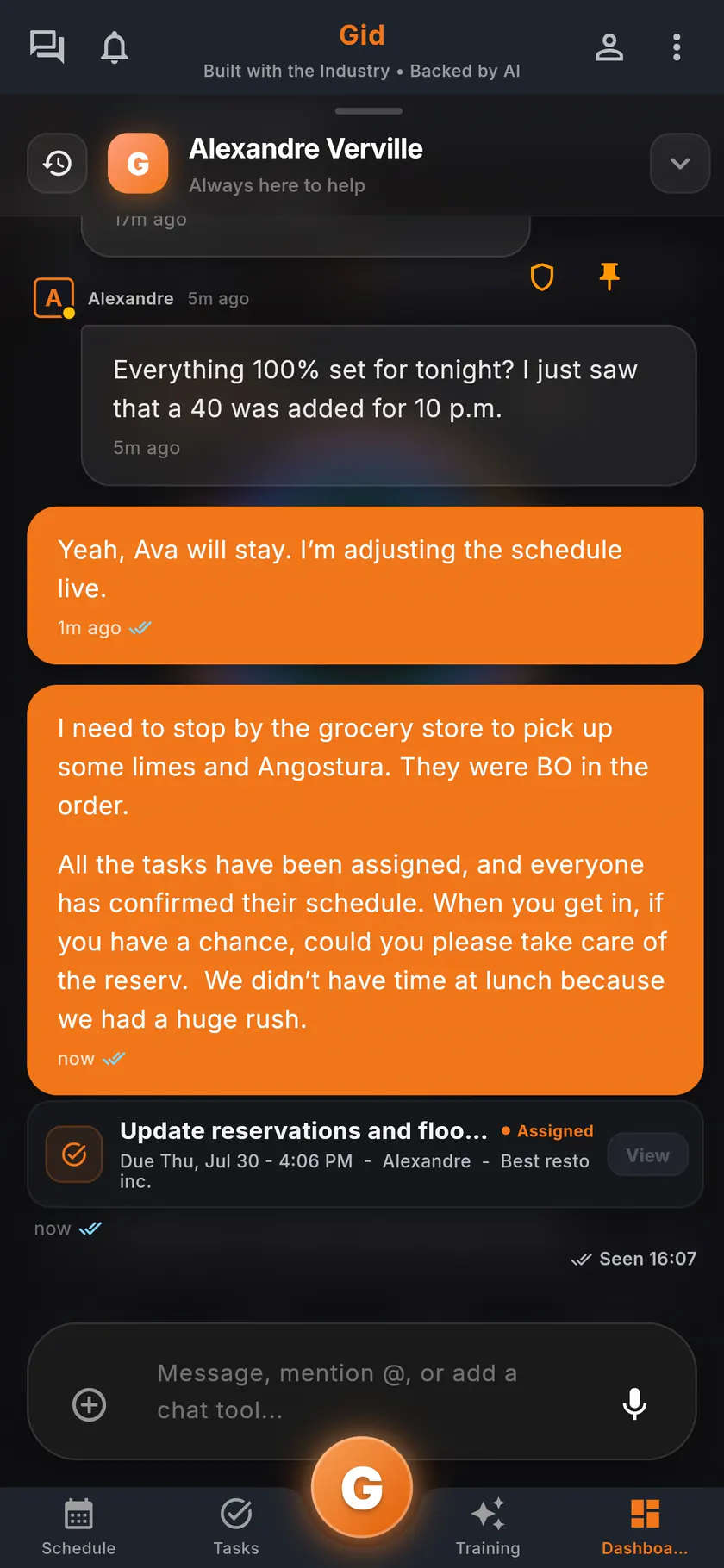
Say it once, in writing
Post the specials and the 86 list as an announcement shown at clock-in, so the people who arrive later read it before their first table.
Step 3
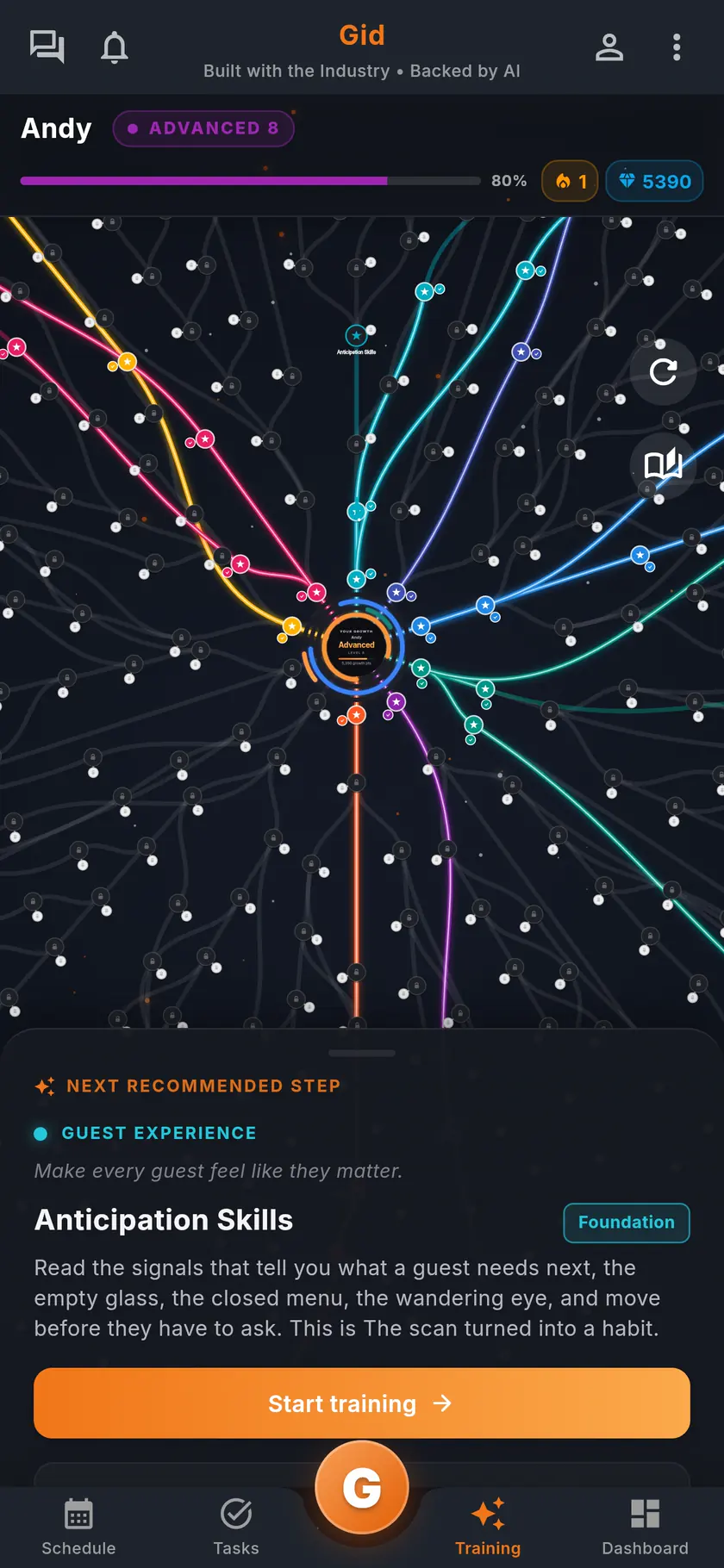
Teach what changed
Turn a menu change into a menu training and assign it to front of house, due that day.
A real pre-shift
A Saturday pre-shift, in Gid
An example of one huddle, and of how it reaches the people who were not there.
Before
The manager prepares in the app
The manager checks the schedule, confirms the specials with the chef and posts an announcement to show at clock-in, with an acknowledgment.
The huddle
Ten minutes, one focus
The team covers the sections, the specials, one service focus and a review from last week. The manager hands The Pass to the busser who covered the patio.
After
Nobody is left out
The bartender who arrived late reads the announcement at clock-in. At close, the manager leaves a handoff note for the Sunday opening team.
The stack you have today
Six apps that do not talk to each other, or one that does
Nothing here is a knock on any specific tool. It is what happens when the schedule, the tasks, the training, the chat, the documents and the guest reviews were never built to know about each other.
6 apps 6 logins 6 bills
- SchedulingThe week is posted, the swaps still happen by text.
- Tasks and checklistsA missed closing task shows up the next morning.
- Onboarding and trainingNew hires learn from whoever is on shift.
- Team chatShift talk buried between personal texts.
- Documents and menusRecipes and SOPs lost in folders and binders.
- Google reviewsReplies go out, the lesson never reaches the team.

Gid
One app on iOS, Android and the web
1 app 1 login 1 price
- Scheduling
- Tasks and checklists
- Onboarding and training
- Team chat
- Documents and menus
- Google reviewsReply drafts, recurring themes, lessons for the team
$29 USD per location per monthWhole team included
First 250 worldwide • rate locked, no contract
The honest part
When a huddle alone is enough, and what Gid does not do yet
Not every restaurant needs help with its pre-shift. Here is when yours does not.
A huddle alone may be enough if
- Everyone starts at the same time and nobody misses it.
- Your menu and your team rarely change.
- You work every service yourself and tell each person what they missed.
Limits of Gid today
- Gid does not run the meeting for you. It carries what was said to the people who need it.
- The daily briefing is written by Gid's AI from your own data, once a day for each person.
- Gid POS and Gid Reservations are listed as coming soon. They are not in your hands yet, and we will not bill you for them until they are.
- The free workspace brings you plus one helper. Bringing the full team means a paid location.
Questions, answered
What should a restaurant pre-shift meeting cover?
Who is where, the specials and the 86 list, allergens and dish changes, one service focus, a guest review worth reading, and thanks for one person by name. The agenda above is a starting point you can copy.
How long should a pre-shift meeting be?
Short enough that everyone stays for all of it: about ten minutes, standing, before the doors open.
How do I reach the staff who missed the pre-shift meeting?
In Gid, post the key points as an announcement that appears right after someone clocks in, with an acknowledgment. Each person's daily briefing in the Gid chat also brings the new announcements.
Can I see who read the pre-shift notes?
Yes. An announcement can ask each person to acknowledge it, and the manager sees who has read it and can nudge the rest.
Can I thank a team member in Gid?
Yes. Anyone can hand a teammate The Pass for something specific, such as carrying the floor or having their back, and it shows on the team's wall unless they make it private.
What does Gid cost for a restaurant team?
$29 USD per location per month at the Founders rate, $89 USD at the public rate, with your whole team included; adding people never raises your bill. The schedule, the announcements, the training and the team chat are the same app, at the same price.
About this page
Who wrote it, and what Gid is
Written by the Gid team
Members of the Gid team owned and operated restaurants before building software. The pre-shift agenda above is free to reuse. If your team needs something it misses, tell us at contact@gidai.ca.
What Gid is
One connected operations app for restaurant teams: scheduling, tasks, team chat, continuous training, onboarding, performance evaluations and an AI assistant grounded in your own documents. One price per location, whole team included.
Make every shift lighter.
Set up your workspace and try every part of Gid on your own. When you know it earns its place, your team rides in next.
No contract. No commitment. No credit card.