Restaurant operations • Team chat
Restaurant team communication without the group chat.
Shift talk needs a channel the restaurant owns, where announcements show who read them and a message about a shift is linked to it. Gid's team chat does that next to the schedule and the tasks, on iOS, Android and the web.
No contract. No commitment. No credit card.
Our job is to earn our place on your floor, not to lock you in.
Last updated September 23, 2026
Gid
Founders rate • Lifetime$29 $89 USD per location per month
- Tasks, schedule and team chat in one app
- Continuous training tuned to your menu
- Daily reports that surface what matters
- An AI assistant that knows your documents
- Your whole team in. Adding people never raises your bill.
First 250 worldwide • rate locked, no contract
Why the group chat fails
A personal group chat was never built for a shift
It is free, everyone already has it, and it works until the day it matters.
Numbers
Everyone has everyone's number
Joining the team means handing a personal number to every coworker, including the ones who left last season and are still in the group.
Noise
Shift talk between everything else
The new allergen sits between a birthday photo and a joke. By Friday, it has scrolled out of sight.
Proof
Nobody knows who read it
Three thumbs up from a team of twenty is not proof that the closing crew saw the change.
Context
The message lives apart from the work
A swap agreed in the thread never reaches the schedule, and a task mentioned in passing is never assigned.
Days off
No clean off switch
Work messages land at any hour on a personal phone, and muting the group means missing the one message that mattered.
Newcomers
New hires start behind
Someone has to remember to add them, and they never see what was agreed before they joined.
What a team channel needs
Eight things to look for, whatever you choose
A checklist for any restaurant team channel, with how Gid answers each line.
| What it needs | In Gid |
|---|---|
| A channel the restaurant owns | Team channels, private groups and direct messages live in the restaurant's Gid workspace. Teammates reach each other from the team list, so nobody hands out a personal number. |
| Announcements people confirm | An announcement goes to everyone, a role, a department or chosen people. It can ask each person to acknowledge it, and the manager sees who read it and can nudge the rest. |
| The shift and the task inside the message | Link a task, a shift or a document into the conversation, or start a discussion straight from a shift in the schedule or from a task. |
| Knowing it was seen | In direct messages and group chats, the sender sees when a message was seen and, in a group, who has seen it. |
| The right message at the start of the shift | An announcement can appear right after someone clocks in or out with Gid, so a change lands when the shift starts. |
| Notifications each person controls | For each conversation, a person picks every message, only the messages that mention them, or mute. The workplace can also set quiet hours. |
| Photos and files | Take a photo, or share photos, videos and files, right in the conversation. |
| Every phone, and the office | iOS and Android apps, plus the web app for the office computer. |
How it works in Gid
Team messages that sit next to the schedule and the tasks
Three views, one app, nothing copied from one to the other.
Step 1
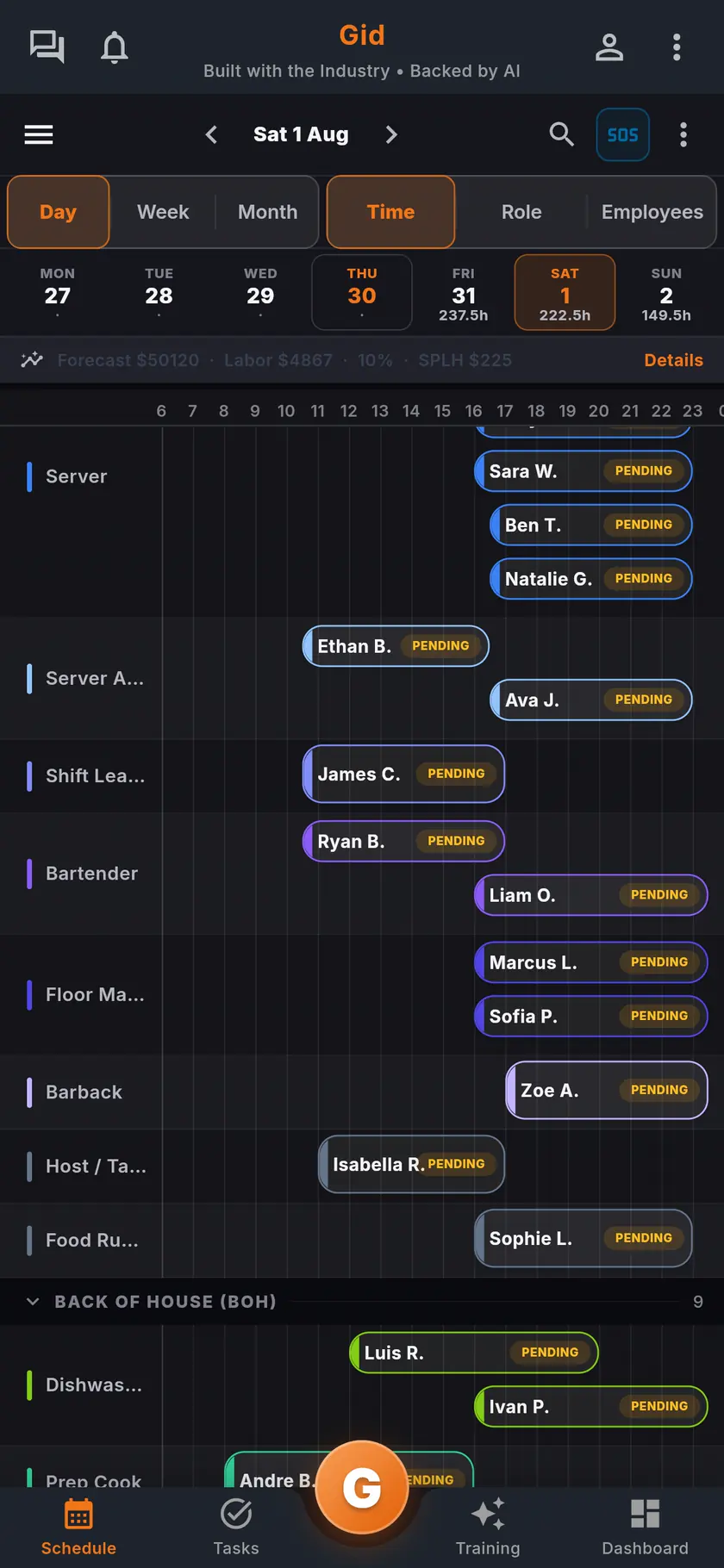
Start from the shift
Open a shift in the schedule and start a discussion with the people it concerns. The conversation opens with the shift attached, so nobody has to ask which one.
Step 2
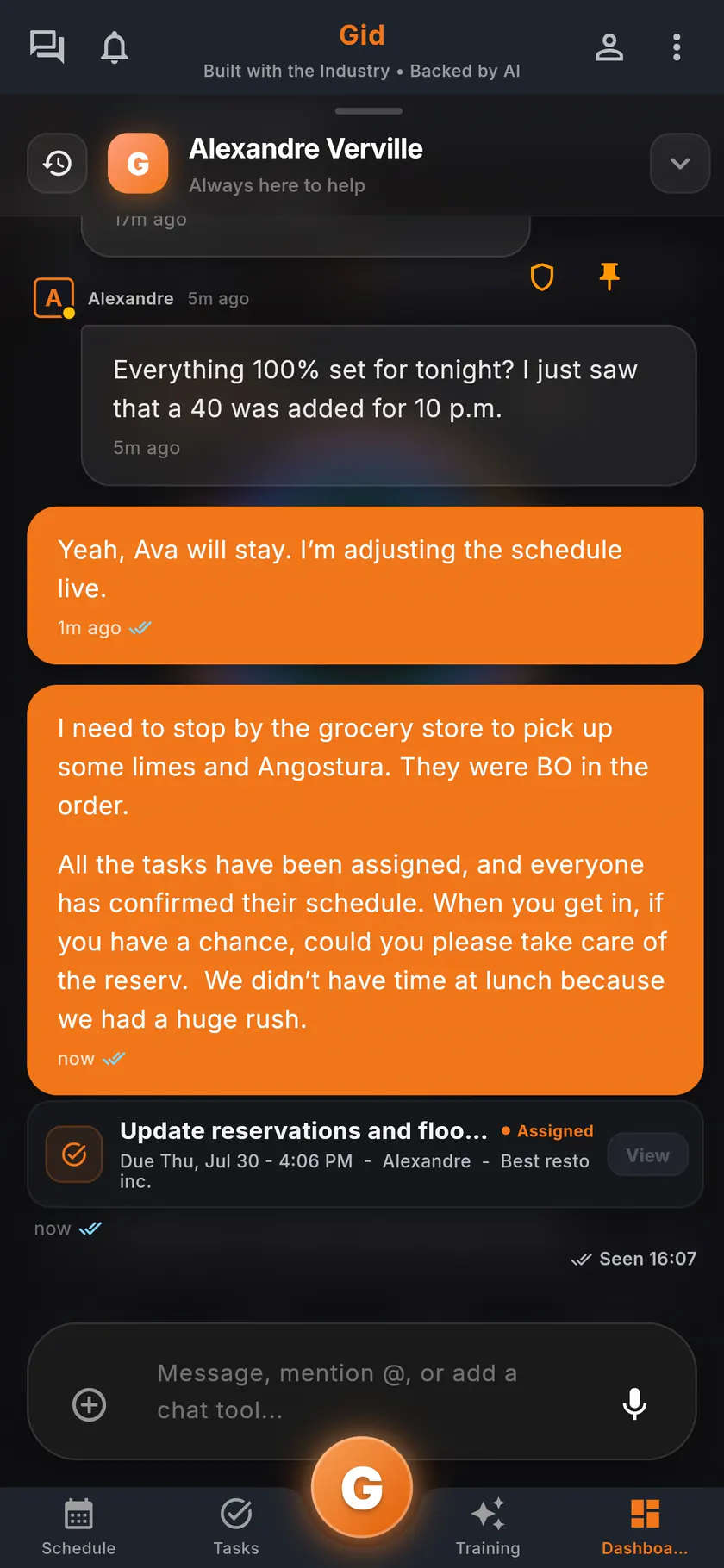
Keep the task in the thread
Share a task into the conversation and its status travels with it. Reply, mention a teammate, add a photo: the work and the talk stay together.
Step 3
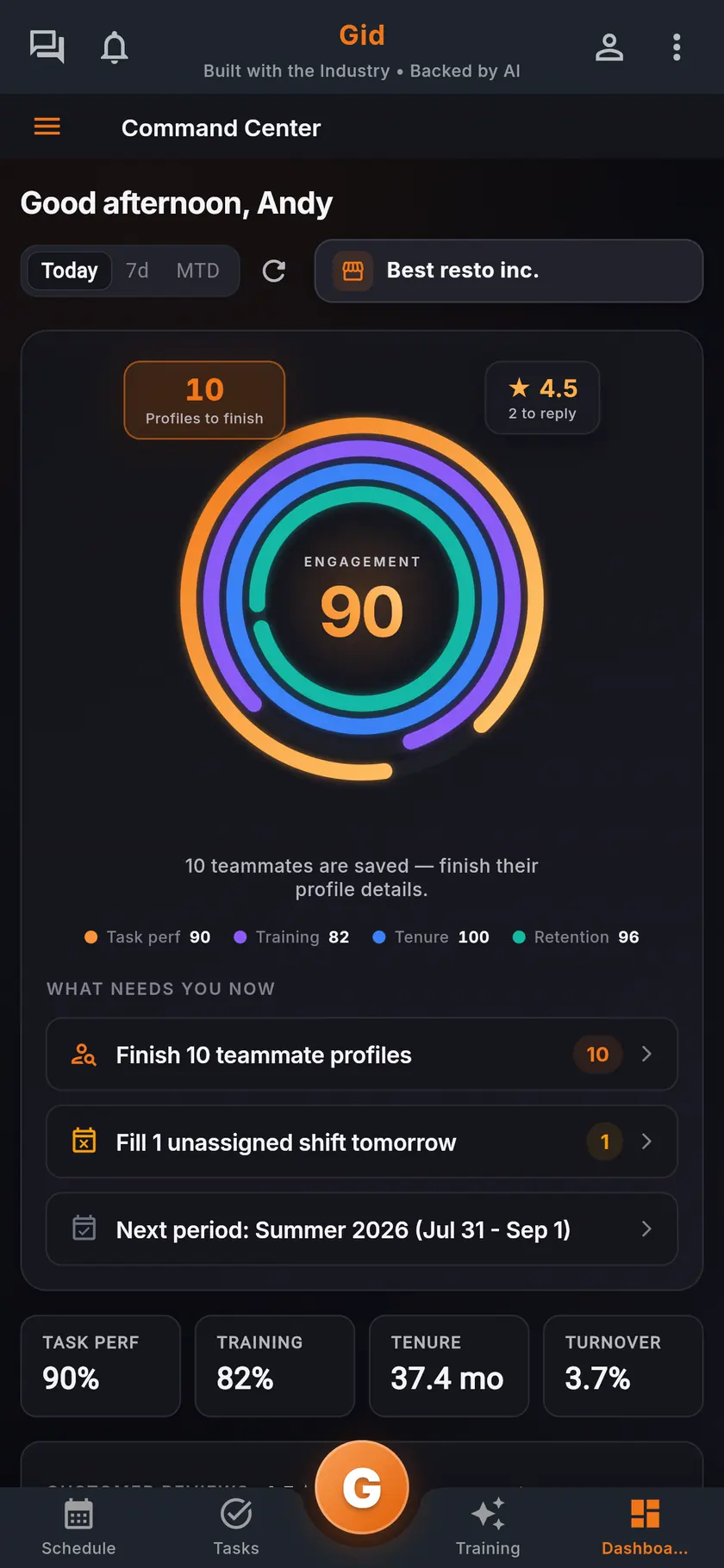
See what still needs you
The command center lists what needs the manager now, such as a shift nobody has taken yet, so the next message goes to the right people.
A real shift
A callout before a Friday dinner, in Gid
An example of one afternoon, told once in the app instead of across three threads.
The callout
The shift, not a text
A line cook messages the manager directly in Gid. The manager opens that shift in the schedule and starts a discussion with the cooks who could cover it.
The cover
Agreed where everyone can see it
A prep cook says yes in the thread. The manager updates the shift, and the schedule changes in every pocket at once.
The briefing
The change lands at clock-in
A new allergen on tonight's special goes out as an announcement shown after clock-in, with an acknowledgment. By service, the manager sees who has read it.
The stack you have today
Six apps that do not talk to each other, or one that does
Nothing here is a knock on any specific tool. It is what happens when the schedule, the tasks, the training, the chat, the documents and the guest reviews were never built to know about each other.
6 apps 6 logins 6 bills
- SchedulingThe week is posted, the swaps still happen by text.
- Tasks and checklistsA missed closing task shows up the next morning.
- Onboarding and trainingNew hires learn from whoever is on shift.
- Team chatShift talk buried between personal texts.
- Documents and menusRecipes and SOPs lost in folders and binders.
- Google reviewsReplies go out, the lesson never reaches the team.

Gid
One app on iOS, Android and the web
1 app 1 login 1 price
- Scheduling
- Tasks and checklists
- Onboarding and training
- Team chat
- Documents and menus
- Google reviewsReply drafts, recurring themes, lessons for the team
$29 USD per location per monthWhole team included
First 250 worldwide • rate locked, no contract
The honest part
When a group chat is enough, and what Gid does not do yet
Not every team needs a work channel. Here is when yours does not.
A group chat may be enough if
- Your whole team is a handful of people who work every shift together.
- Nothing you send ever needs proof that it was read.
- Nobody joins or leaves the team.
Limits of Gid today
- Gid's team chat is for your staff, not for guests.
- Gid does not import the history of an existing group chat. The team starts fresh.
- Gid POS and Gid Reservations are listed as coming soon. They are not in your hands yet, and we will not bill you for them until they are.
- The free workspace brings you plus one helper. Bringing the full team means a paid location.
Questions, answered
Why not just use a group chat for restaurant staff?
Because it mixes shift talk with personal life, asks everyone to share a personal number, and cannot show who read an announcement. A team channel keeps work messages in a place the restaurant owns, next to the schedule and the tasks they are about.
Do employees have to share their phone numbers?
No. In Gid, teammates reach each other from the team list inside the app, so nobody needs a coworker's personal number.
Can I see who read an announcement?
Yes. An announcement can ask each person to acknowledge it. The manager sees who has read it and can nudge the people who have not.
Can staff keep work messages quiet on their day off?
Yes. For each conversation, a person picks every message, only the messages that mention them, or mute. The workplace can also set quiet hours.
Can I send a task or a shift in the chat?
Yes. Link a task, a shift or a document into any conversation, or start a discussion straight from a shift in the schedule or from a task.
What does team chat in Gid cost?
$29 USD per location per month at the Founders rate, $89 USD at the public rate, with your whole team included; adding people never raises your bill. The team chat, the announcements, the schedule and the tasks are the same app, at the same price.
About this page
Who wrote it, and what Gid is
Written by the Gid team
Members of the Gid team owned and operated restaurants before building software. The eight-point checklist above is free to reuse, and if your team needs something it misses, tell us at contact@gidai.ca.
What Gid is
One connected operations app for restaurant teams: scheduling, tasks, team chat, continuous training, onboarding, performance evaluations and an AI assistant grounded in your own documents. One price per location, whole team included.
Make every shift lighter.
Set up your workspace and try every part of Gid on your own. When you know it earns its place, your team rides in next.
No contract. No commitment. No credit card.