Restaurant operations • Onboarding
Restaurant onboarding checklist for new employees.
A new hire is ready for a real shift when they know the building, have someone to ask, know the menu and can see their schedule. Use this checklist as it is, or let Gid run it with a first-week plan, a mentor and short training.
No contract. No commitment. No credit card.
Our job is to earn our place on your floor, not to lock you in.
Last updated September 23, 2026
Gid
Founders rate • Lifetime$29 $89 USD per location per month
- Tasks, schedule and team chat in one app
- Continuous training tuned to your menu
- Daily reports that surface what matters
- An AI assistant that knows your documents
- Your whole team in. Adding people never raises your bill.
First 250 worldwide • rate locked, no contract
Why the first week goes wrong
Most new hires are onboarded by whoever is on shift
Nobody plans to skip onboarding. It gets squeezed between a delivery, a callout and a full book.
Day one
Paperwork in the middle of service
The forms, the uniform and the logins get sorted between tickets, so the new hire spends the first shift waiting instead of learning.
The training
Learned from whoever is on
Each shift teaches a slightly different way to do the same thing, and the new hire picks up the shortcuts along with the standard.
The first week
Nobody checks in
A quiet new hire who is struggling rarely says so. Without a set moment to ask, the first sign can be a shift they do not show up for.
The onboarding checklist
Before day one, day one, and the first week
Three lists, in order. Copy them, adjust them to your roles, and give each item an owner.
Before day one
The manager prepares
- The offer, the start date and the first shifts confirmed in writing.
- The paperwork your jurisdiction requires collected before the first shift, not during it.
- Uniform, apron and name tag ready, and the dress and shoe code sent ahead.
- A mentor chosen for the first shifts, and told.
- The first week on the schedule, with the shadow shifts marked.
- Logins ready: the team app, the POS and the time clock.
- The menu, the allergen sheet and the handbook shared to read ahead.
Day one
Welcome, tour and a first shift
- Welcomed by name at the door, by the manager or the mentor.
- A full tour: dining room, bar, kitchen, dish area, storage, office, staff area, exits, first aid kit and fire extinguishers.
- Introduced to the team on shift, and to the mentor.
- Safety basics: knives, hot surfaces, wet floors, lifting, and who to tell after an injury.
- Food safety basics: handwashing, allergens, date labels and temperature logs, under your local code.
- House rules: clocking in and out, breaks, staff meals, phones, how to call out and how swaps work.
- A first shift shadowing the mentor, with time at the end to ask questions.
The first week
Practice, check in, decide
- Work the station with the mentor watching, then alone with the mentor close.
- Learn the menu a little each day: each dish, its allergens, what to recommend.
- Practice the POS on real tickets with a supervisor nearby.
- Learn the opening and closing sidework with the station's checklist.
- A check-in on day three: what is clear, and what is blocking.
- A conversation at the end of the week: ready for the station alone, or what comes next and who owns it.
How it works in Gid
The same checklist, run in the app your team already uses
Three steps, from the invitation to a new hire who is ready for the station.
Step 1
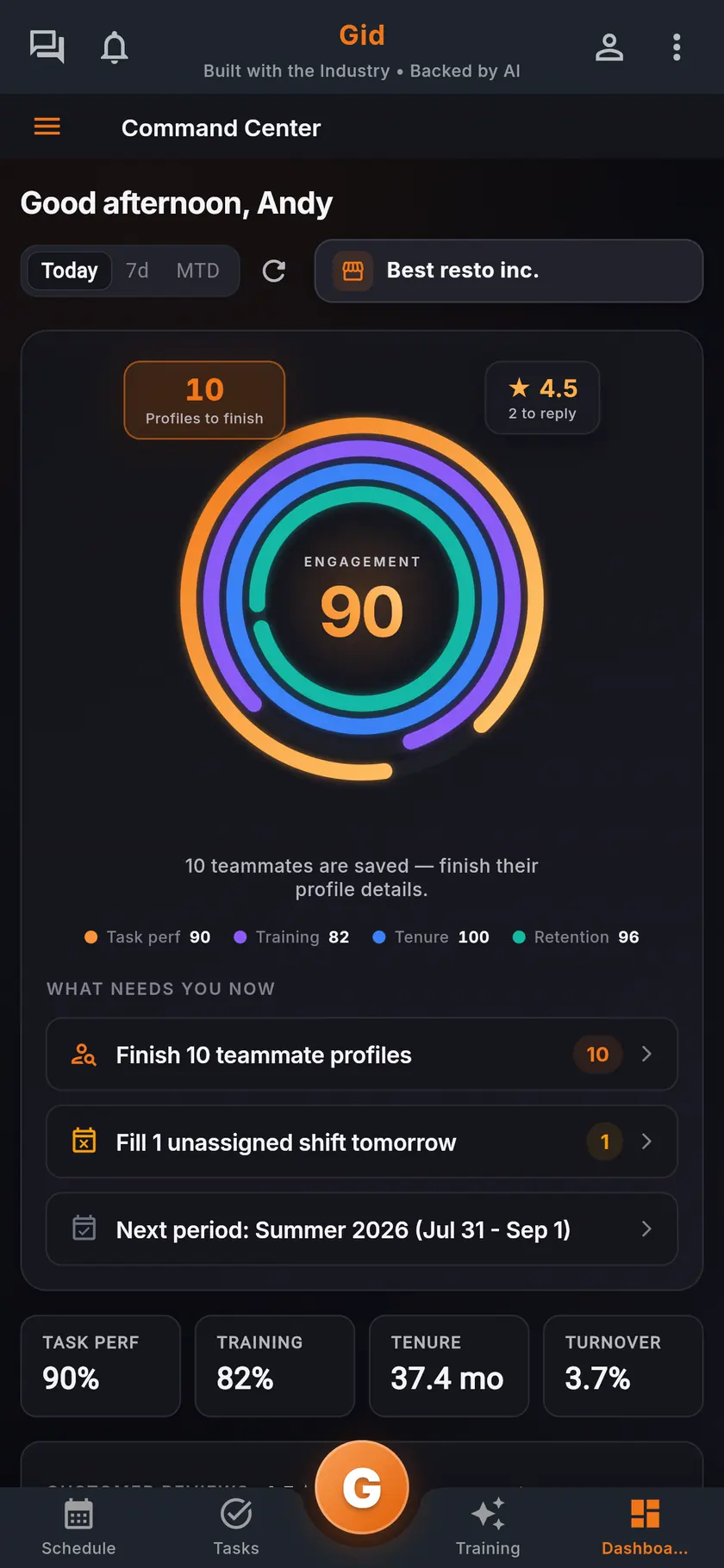
Invite one person, or the whole team
Send a named invitation by email, share the team's join link for a manager to confirm, or bring the whole roster in from a spreadsheet or a document you already have, and review it before the invites go out.
Step 2
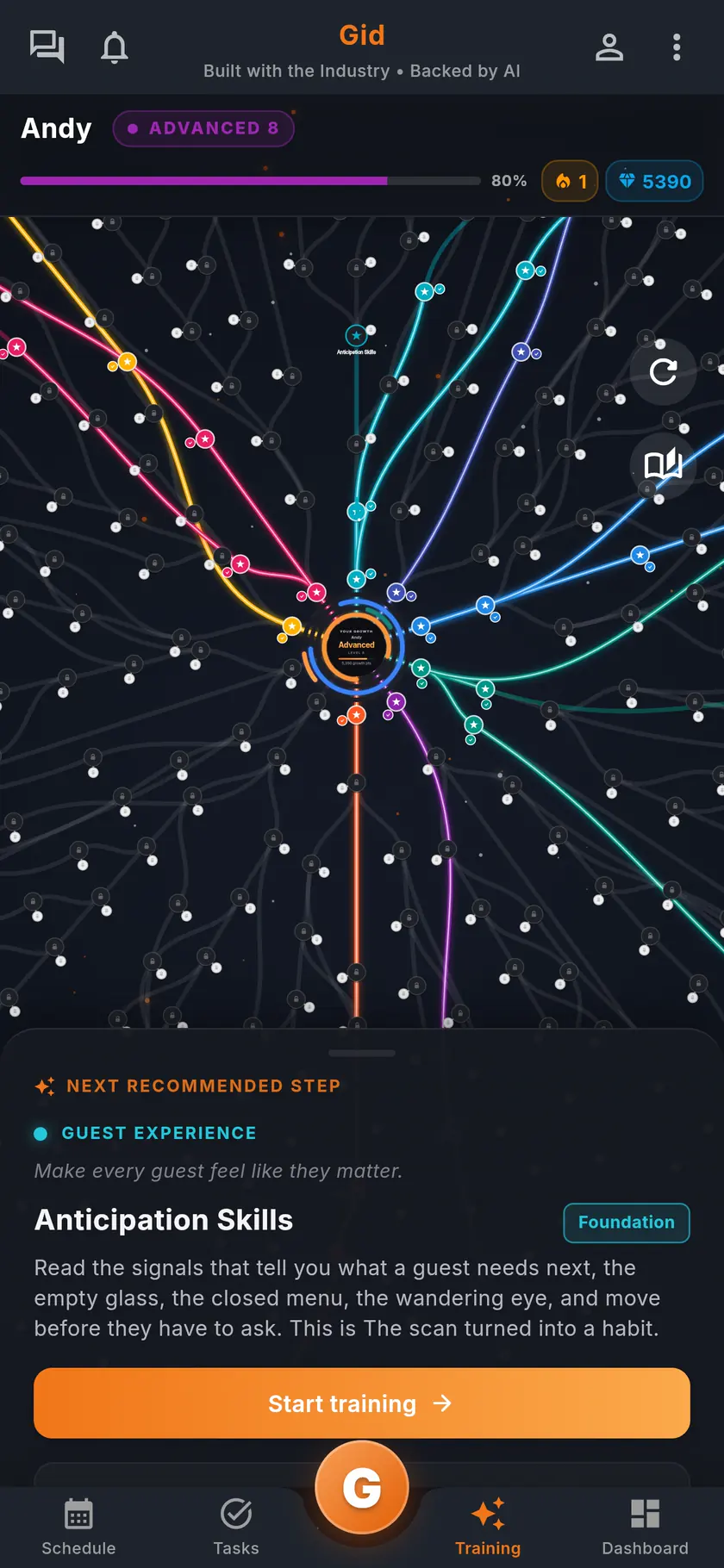
Training from day one
Assign short, interactive training by role or by person, due by a set date or by a day on the job, with your own menu as a source. You see who has completed it, who is in progress, who has not started and who is overdue.
Step 3
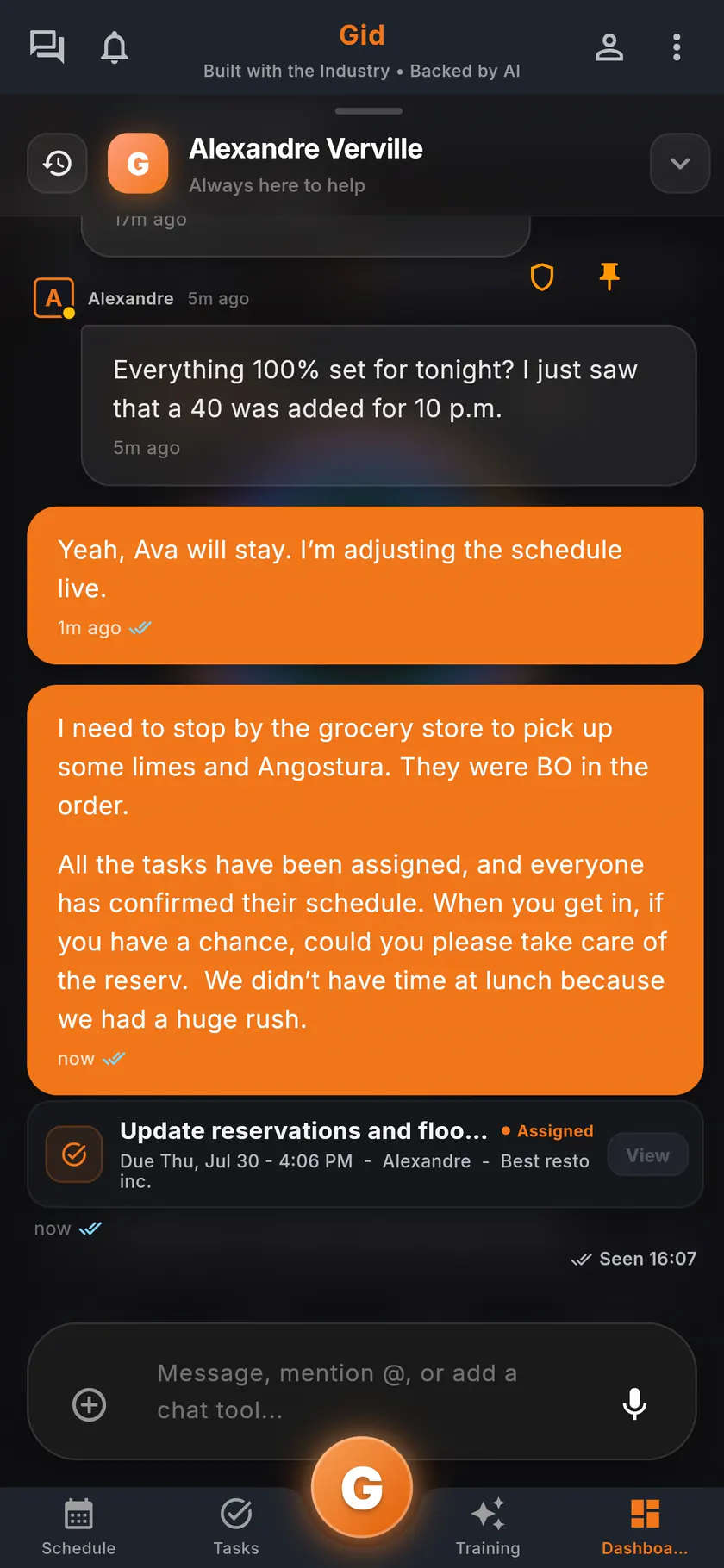
Someone to ask, all week
Turn on Integration to give each new hire a seven-day plan with a supervisor and a mentor, a private conversation with each, a check-in on day three and a shared readiness decision on day seven.
What the new hire sees
A setup card on their first login
On the new teammate's dashboard, one card lists what is left to do, in plain words.
Finish your two-minute chat with Gid
Gid asks their preferred name, their role and their experience in a short chat, instead of a form.
Set your availability
Their standard week of availability, so the schedule you build fits the person you hired.
See your integration plan
When Integration is on: their first-week plan, and the supervisor and mentor they can message.
Start your first training
The first short session assigned to them, played on their own phone.
The first week in Gid
Gid's seven-day plan for a new hire, step by step
The plan Gid ships with Integration. Publish it as it is, change it, or write your own.
Day 1
Meet your support team
The manager confirms the supervisor and the mentor, and everyone makes a short introduction in the support conversation.
Day 1
First supported shift
The mentor agrees on how the new hire asks for help. Together they name what is clear and what is blocked.
Day 3
Early support check
The new hire and their support person name one important blocker, and the manager sends it to whoever owns it.
Day 5
Supported practice
The mentor sets one focus for the next real shift, and the pair confirms whether any blocker still needs an owner.
Day 7
Shared readiness decision
The new hire confirms they feel supported, and the manager confirms the plan can close. If either says no, it stays open.
Along the way
Training on the same timeline
Training can be due by a day on the job or before a step of the plan, and it can show on the same timeline.
The stack you have today
Six apps that do not talk to each other, or one that does
Nothing here is a knock on any specific tool. It is what happens when the schedule, the tasks, the training, the chat, the documents and the guest reviews were never built to know about each other.
6 apps 6 logins 6 bills
- SchedulingThe week is posted, the swaps still happen by text.
- Tasks and checklistsA missed closing task shows up the next morning.
- Onboarding and trainingNew hires learn from whoever is on shift.
- Team chatShift talk buried between personal texts.
- Documents and menusRecipes and SOPs lost in folders and binders.
- Google reviewsReplies go out, the lesson never reaches the team.

Gid
One app on iOS, Android and the web
1 app 1 login 1 price
- Scheduling
- Tasks and checklists
- Onboarding and training
- Team chat
- Documents and menus
- Google reviewsReply drafts, recurring themes, lessons for the team
$29 USD per location per monthWhole team included
First 250 worldwide • rate locked, no contract
The honest part
Who this is for, and what Gid does not do yet
The checklist above works on paper. Here is when that is all you need.
Paper may be enough if
- You hire a few people a year and train each one yourself, on your own shifts.
- Your menu and your standards rarely change.
- Nobody else needs to see where a new hire is in their first week.
Limits of Gid today
- No applicant tracking: onboarding in Gid starts once someone is hired.
- Gid does not collect tax, payroll or work-eligibility forms, and does not run payroll. Keep those in your payroll or HR system.
- Integration is a system you turn on. Until you do, the new hire's setup card simply skips the plan.
- The free workspace brings you plus one helper. Bringing the full team means a paid location.
Questions, answered
What should a restaurant onboarding checklist include?
Three parts. What the manager prepares before day one: paperwork, uniform, logins, a mentor and the first shifts. The first day: a welcome, a full tour, safety and food safety basics, the house rules and a shadow shift. The first week: practice, the menu, the POS, a check-in on day three and a readiness conversation.
How long should onboarding a restaurant employee take?
Plan a full first week. By its end, the new hire should work their station with a mentor nearby and know exactly who to ask. Gid's new-hire plan runs seven days and ends with a decision the new hire and the manager make together.
How does a new hire join Gid?
Through a named email invitation from a manager, or through the team's join link, which a manager confirms. On their first login, a setup card lists what is left: a two-minute chat with Gid, their availability and, once you have set them up, their integration plan and their first training.
Can Gid train new hires on our own menu and standards?
Yes. Managers build short training from your menu, from Gid templates or from scratch, assign it by role or by person with a deadline, and see who has completed it, who is in progress and who is overdue.
Does Gid handle hiring and new-hire paperwork?
No. Gid has no applicant tracking and does not collect tax, payroll or work-eligibility forms today. Onboarding in Gid starts once someone is hired.
What does onboarding in Gid cost?
$29 USD per location per month at the Founders rate, $89 USD at the public rate, with your whole team included; adding people never raises your bill. Onboarding, training, the schedule, the tasks and the team chat are the same app, at the same price.
About this page
Who wrote it, and what Gid is
Written by the Gid team
Members of the Gid team owned and operated restaurants before building software. This checklist is free to reuse, and if something your team needs is missing, tell us at contact@gidai.ca.
What Gid is
One connected operations app for restaurant teams: scheduling, tasks, team chat, continuous training, onboarding, performance evaluations and an AI assistant grounded in your own documents. One price per location, whole team included.
Make every shift lighter.
Set up your workspace and try every part of Gid on your own. When you know it earns its place, your team rides in next.
No contract. No commitment. No credit card.