Jolt alternative

A Jolt alternative for restaurant teams.

Jolt is now part of SmartSense. Gid puts the checklists, the schedule, the team chat and the training in one app, at one published price.

  • Checklists
  • Schedule
  • Chat
  • Training
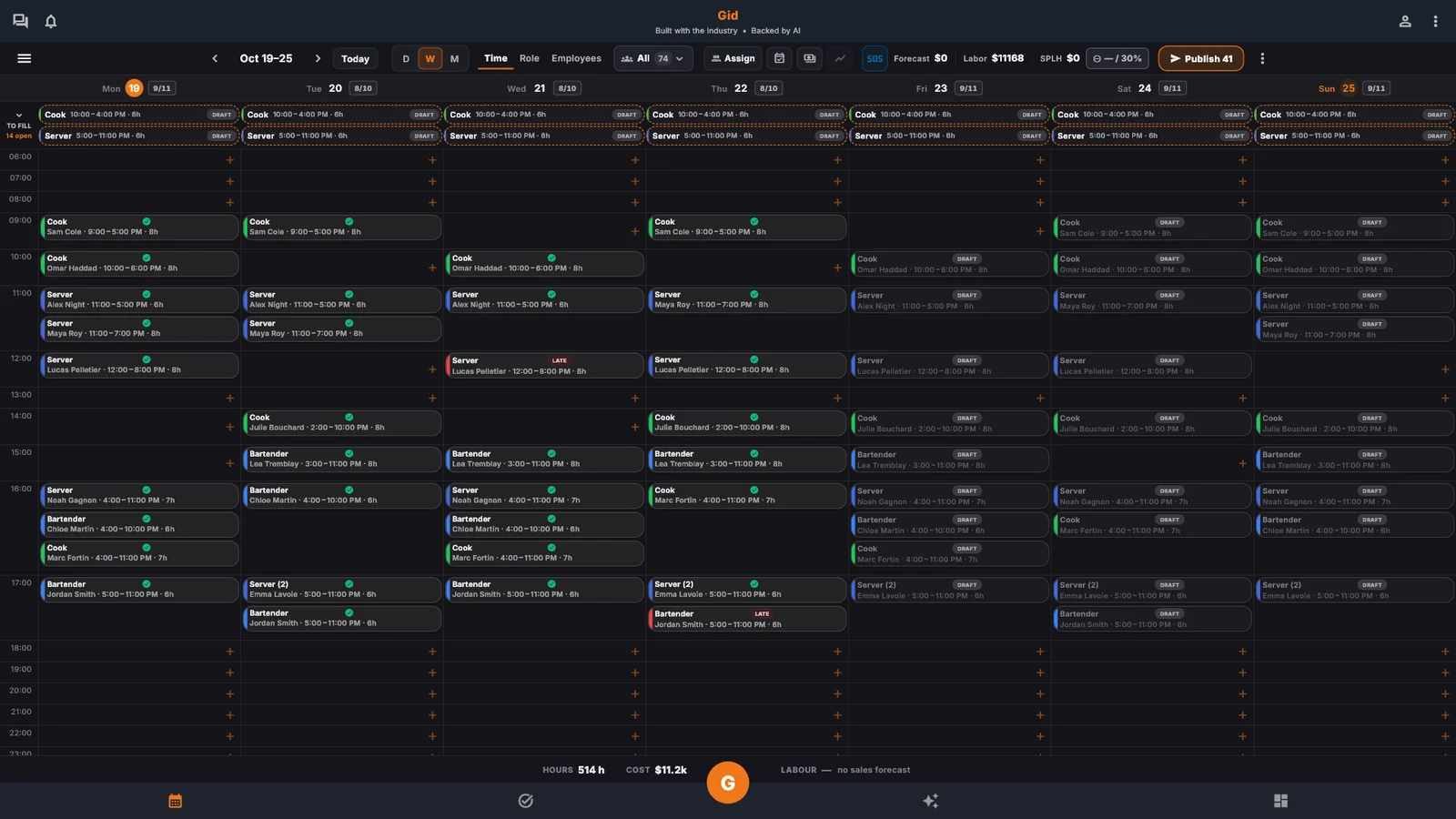
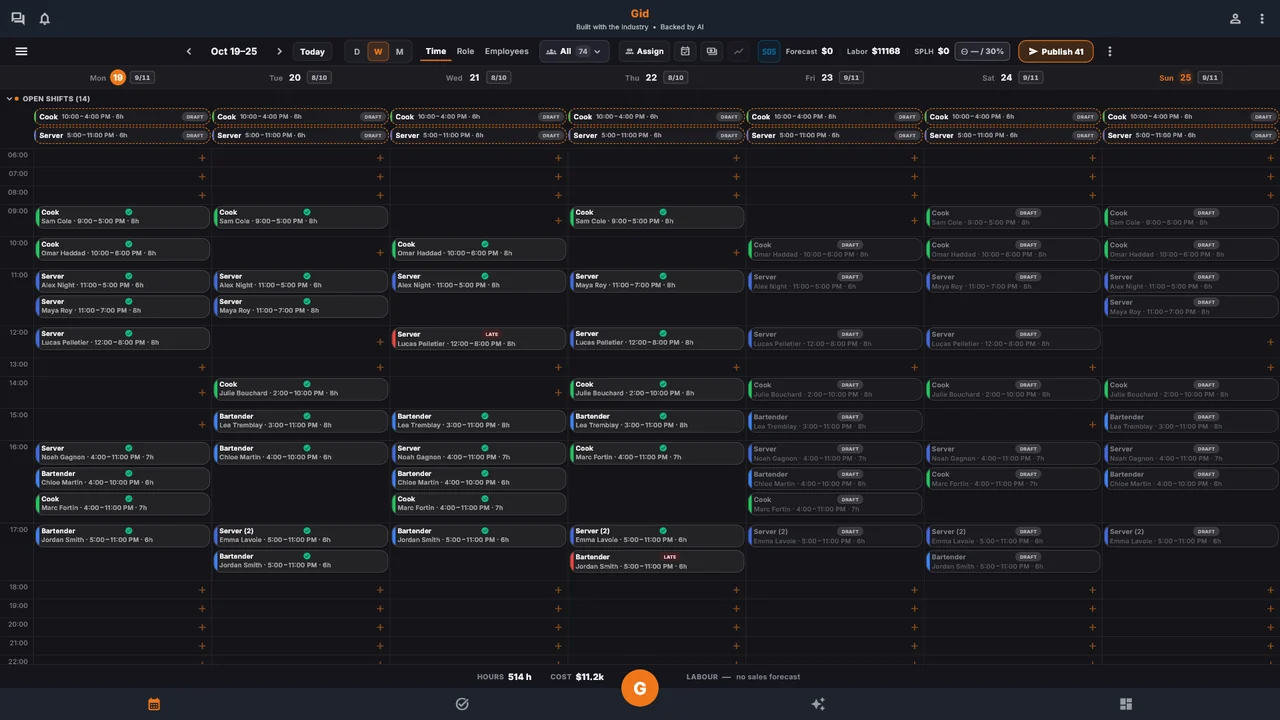
The Gid week schedule on a laptop.
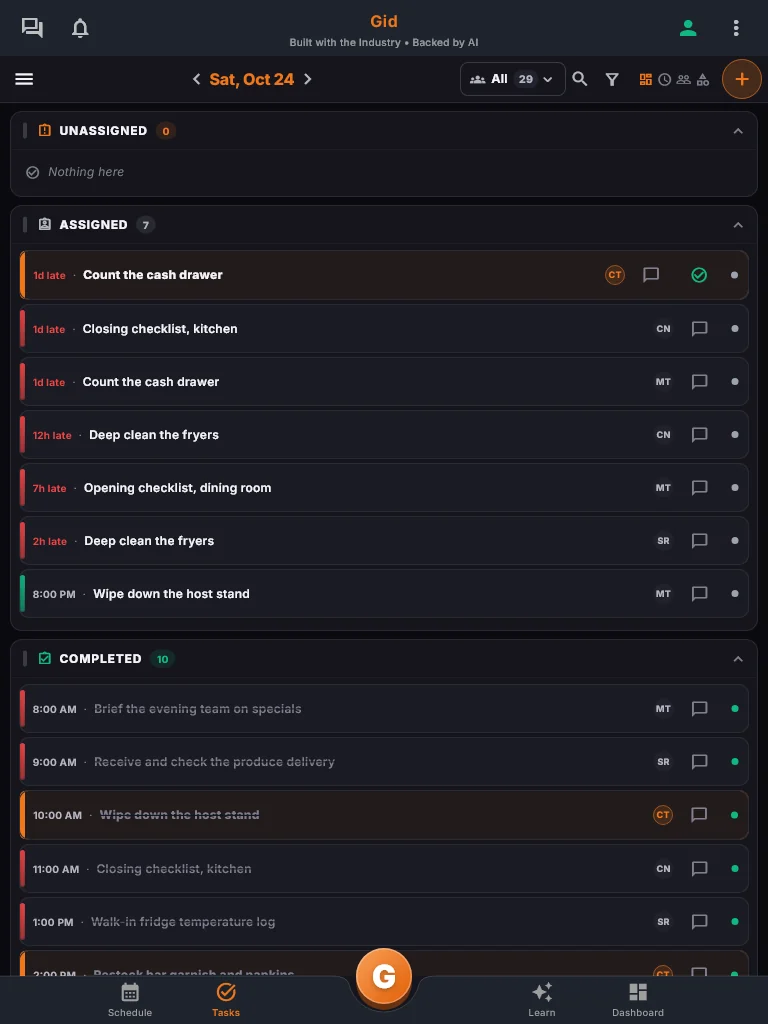
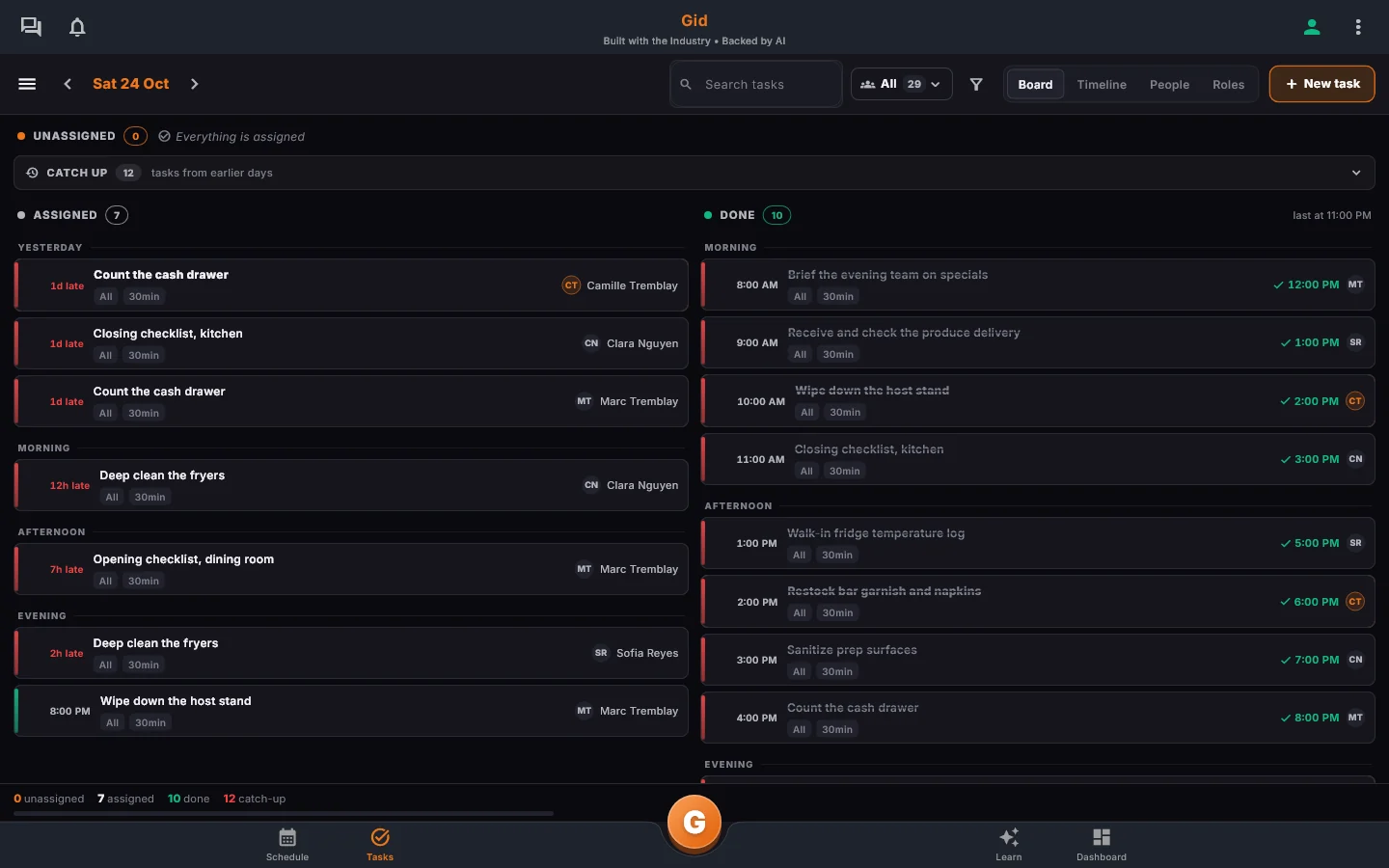
The Gid task list on a tablet.
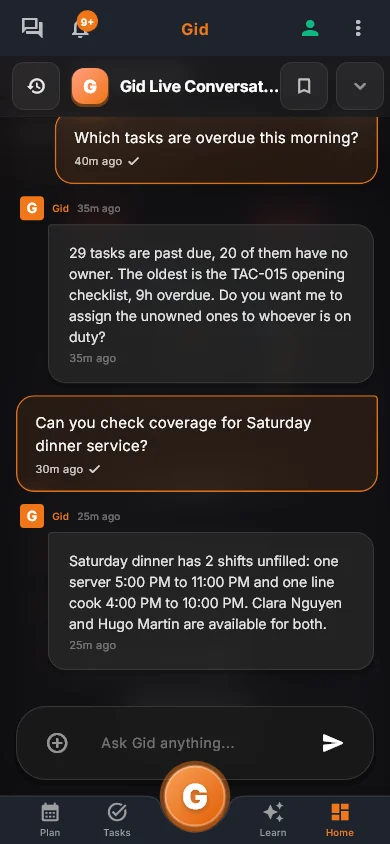
The Gid team chat on a phone.
Real Gid screens, example data
Try Gid for free

No credit card. No commitment.

It’s on us to show you what Gid can do and earn its place in your daily operations.

Why restaurant teams switch from Jolt

What

Jolt

Gid

Published price

No price published: quote on request

$29 USD per location, whole team

Who sells it

Merged into SmartSense

Gid AI, directly

Google reviews

Not named on its pages

Included

Training and SOPs

An information library in lists

From your menu, with a roster

From their public pages, checked September 24, 2026. Prices change. See the full comparison

Tasks

Every task has an owner

Every task gets an owner, a due time and the steps to do it right, with proof where it matters and a reminder before it's late.

  • An owner, a department and a priority
  • Smart Assign puts the people working first
  • A live view of what is done
The Gid team task board on a desktop, with each task assigned and timed.

The schedule

Build the week in minutes

Forecast, labor targets and confirmations in the same view. Publish it, and every teammate has it live in their pocket, never on a printed sheet.

  • Forecast and labor targets
  • Confirmed by each person, on the phone
  • Live in every pocket
The Gid week schedule on a desktop, by time, role or employee.

Learning map

Every teammate sees the next step

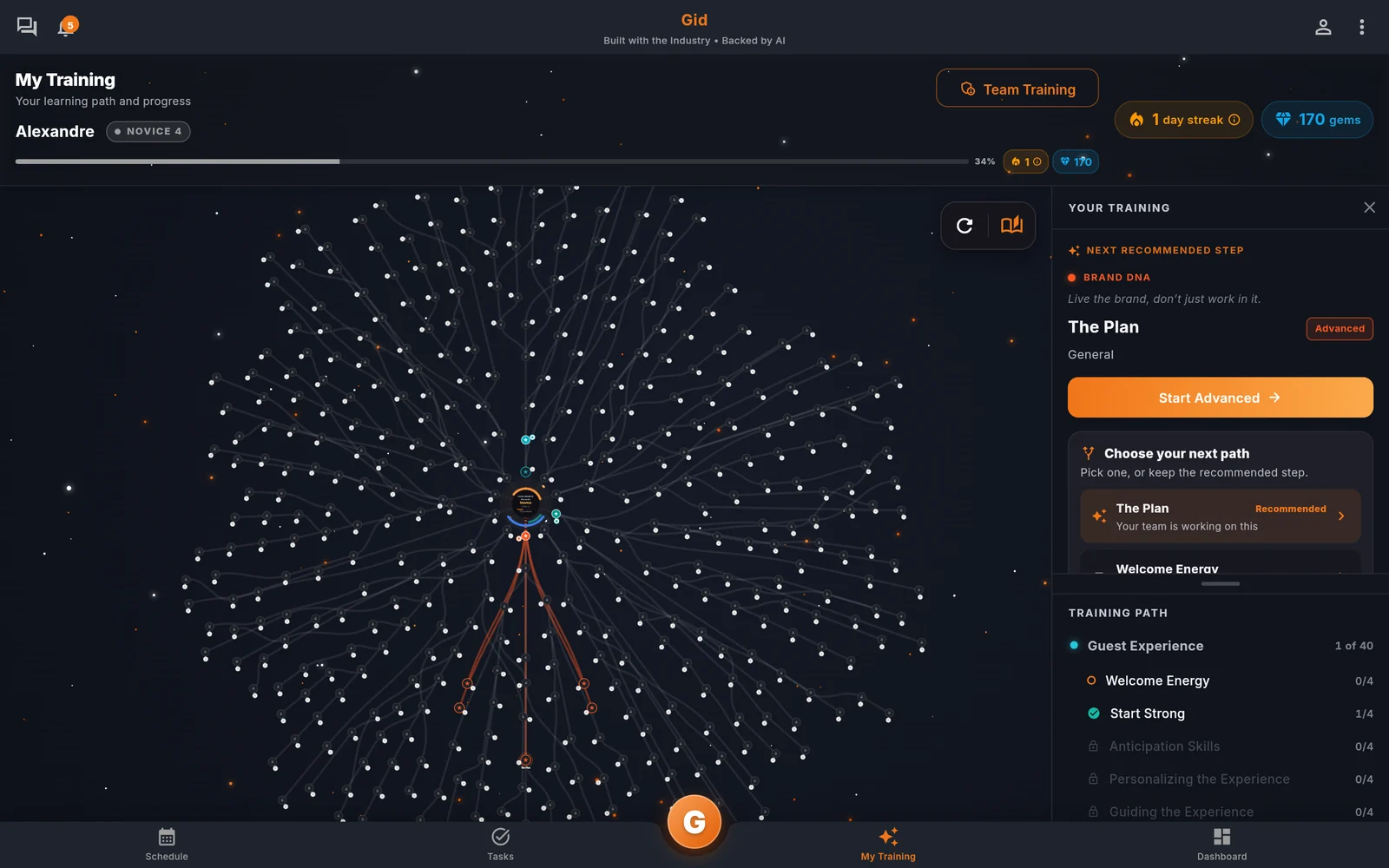
Each teammate opens My Training on the phone and finds the next recommended step under their learning map.

  • Lessons built from your menu
  • Short sessions, close to the floor
  • A quiz you set
The Gid My Training learning map on a desktop.

Pricing

Gid

Founders rate • Lifetime

$29 $89 USD per location per month

Your whole team in. Adding people never raises your bill.

Try Gid for free

No credit card. No commitment.

First 250 worldwide • rate locked, no contract

Lock the Founders rate

Included in Gid

  • Checklists with photos, readings and sign-offs
  • Schedule, availability and shift confirmations
  • Team channels and announcements that show who read them
  • Training built from your menu
  • Your whole team, one price per location

Also in every Gid plan

  • Google reviews
  • Daily reports
  • Onboarding
  • Gid Kitchen

Gid POS and Gid Reservations are separate add-ons.

Questions, answered

What happened to Jolt?

On the page jolt.com now opens, read September 24, 2026, Jolt and SmartSense say they have merged and that Jolt is now a SmartSense solution. Existing customers keep their login, their data and their tools.

What does Gid cost next to Jolt?

Gid is $29 USD per location per month at the Founders rate, $89 USD at the public rate, with your whole team included. Jolt publishes no price: jolt.com/pricing opens SmartSense's quote request form.

Can I try Gid without a credit card?

Yes. Create a workspace and try every part of Gid on your own. No card, no commitment, cancel anytime. The free workspace brings you plus one helper; the rest of the team rides on a paid location.

The full guide

Everything on this topic, in detail.

Gid and Jolt, on the record

Side by side

Every Jolt line below was read on September 24, 2026, on the SmartSense pages jolt.com now leads to. Where we could not confirm something there, the cell says "to verify" instead of guessing.

Feature and price comparison between Gid and Jolt, verified September 24, 2026.
What you are buying Gid Jolt
Who sells it now Gid AI, which builds Gid and sells it directly on gidai.ca. "Jolt and SmartSense have merged", and "Jolt.com content now lives on smartsense.co", where the company presents itself as "SmartSense by Digi".
Published price $29 USD per location per month at the Founders rate, $89 USD public. No price published: jolt.com/pricing opens SmartSense's "Request a Quote" form.
Checklists and tasks Included. Checklists with photos, readings, signatures and a manager's review, repeated on a schedule. Operate: "Digital task management & checklists for deskless teams", with evidence such as "photos, notes, signatures" before a corrective action is marked complete.
Scheduling Build the week on each person's availability and weekly hours; each person confirms their own shifts on the phone. In the Shift Marketplace, a shift can be handed to a teammate, opened to the team, covered or picked up. "Employees can submit their availability preferences and request time off directly in the app", and they "drop, pick up, and trade shifts for manager approval".
Time clock Clock in, start a break and clock out with Gid on the phone. "Integrated time and attendance", with "photo verification".
Team communication Included. Team channels, direct messages and announcements that show who read them. "a centralized system for messages, announcements, and alerts", with "mass email and SMS messaging".
Training and SOPs Included. Training built from your menu or from scratch, assigned by department, with a completion roster; documents open to the right people. "Operate lists integrates with the information library, enabling staff to access training videos and SOPs directly within the lists".
Google reviews Included. Reply drafts, recurring themes, lessons for the team. Not named on these pages. To verify.

Verified on September 24, 2026. Sources, the pages jolt.com now leads to: smartsense.co/welcome-jolt-users-now-a-smartsense-solution, smartsense.co/operate, smartsense.co/schedule, and jolt.com/pricing, which opened SmartSense's quote request form that day. No Jolt price is published, so there is nothing to convert. SmartSense also writes that existing Jolt customers keep "the Jolt platform, tools, and monitoring hardware you have today". Gid's own figures come from gidai.ca/#pricing and gidai.ca/founders. Anything we could not read on those pages is marked "to verify" rather than filled in.
Three reasons restaurants look again at Jolt

Who this is for

If one of these is your week, read on.

A new owner

Your tool changed hands

Jolt is now a SmartSense solution. If that makes you look again, look at the whole service, not only the lists.

A published price

You want the price before the call

Gid publishes one price per location, whole team included, and a free workspace to try it first.

The team side

The lists work, the team is the hard part

Menu training, onboarding, team chat and Google reviews are where Gid spends most of its effort.

The team side of the service, at a published price

Where Gid differs

The lists and the team in one app

Checklists sit next to the schedule, the team chat, the training and the Google reviews, on iOS, Android and the web.

One price per location, whole team in

A published price and a free workspace. You hire, you train, you schedule, and the bill stays where it was.

Training that is part of the job

Build training from your menu or start from the Gid Library, assign it by department, and see who has finished.

Founders write the roadmap

250 operations worldwide lock the Founders rate for as long as they run on Gid. When what you need is useful and responsible, our team ships it free of charge. See what shipped this week in the changelog.

A Friday close, in Gid

A real shift

An example of one closing shift, from the last table to the next morning.

Closing

One tour, every area

The Closing Tour asks for a sign-off on the kitchen line, the cash and the lockup.

The walk-in

A reading, checked at once

The cook types the walk-in temperature, and Gid checks it against its safe range at once.

Next morning

Nothing slips quietly

A checklist that runs late reminds the person it is assigned to and, after the delay you set, the manager too.

The stack you have today

The stack you have today

Six apps that do not talk to each other, or one that does

Nothing here is a knock on any specific tool. It is what happens when the schedule, the tasks, the training, the chat, the documents and the guest reviews were never built to know about each other.

6 apps 6 logins 6 bills

  • SchedulingThe week is posted, the swaps still happen by text.
  • Tasks and checklistsA missed closing task shows up the next morning.
  • Onboarding and trainingNew hires learn from whoever is on shift.
  • Team chatShift talk buried between personal texts.
  • Documents and menusRecipes and SOPs lost in folders and binders.
  • Google reviewsReplies go out, the lesson never reaches the team.

Gid

One app on iOS, Android and the web

1 app 1 login 1 price

  • Scheduling
  • Tasks and checklists
  • Onboarding and training
  • Team chat
  • Documents and menus
  • Google reviewsReply drafts, recurring themes, lessons for the team
Founders rate • Lifetime

$29 USD per location per monthWhole team included

First 250 worldwide • rate locked, no contract

Try Gid for free

How to try Gid without giving up what works

Switching

Nobody should move a live kitchen onto a new tool in one Sunday. Four steps, in this order.

Step 1

Open a workspace, keep your current tools running

No card, no commitment. You are not cancelling anything yet.

Step 2

Rebuild the opening and closing lists

Start from the Gid Library, with a photo, a reading or a sign-off only where the risk is.

Step 3

Add the team side

Bring one location and one week of schedule, one training and the team chat, and let two or three people tell you the truth.

Step 4

Move the team when it has earned it

When the lists, the schedule and the chat run in Gid, bring the rest of the team. If Gid has not earned its place on your floor, close the workspace. Cancel anytime.

What your team actually looks at

In the app

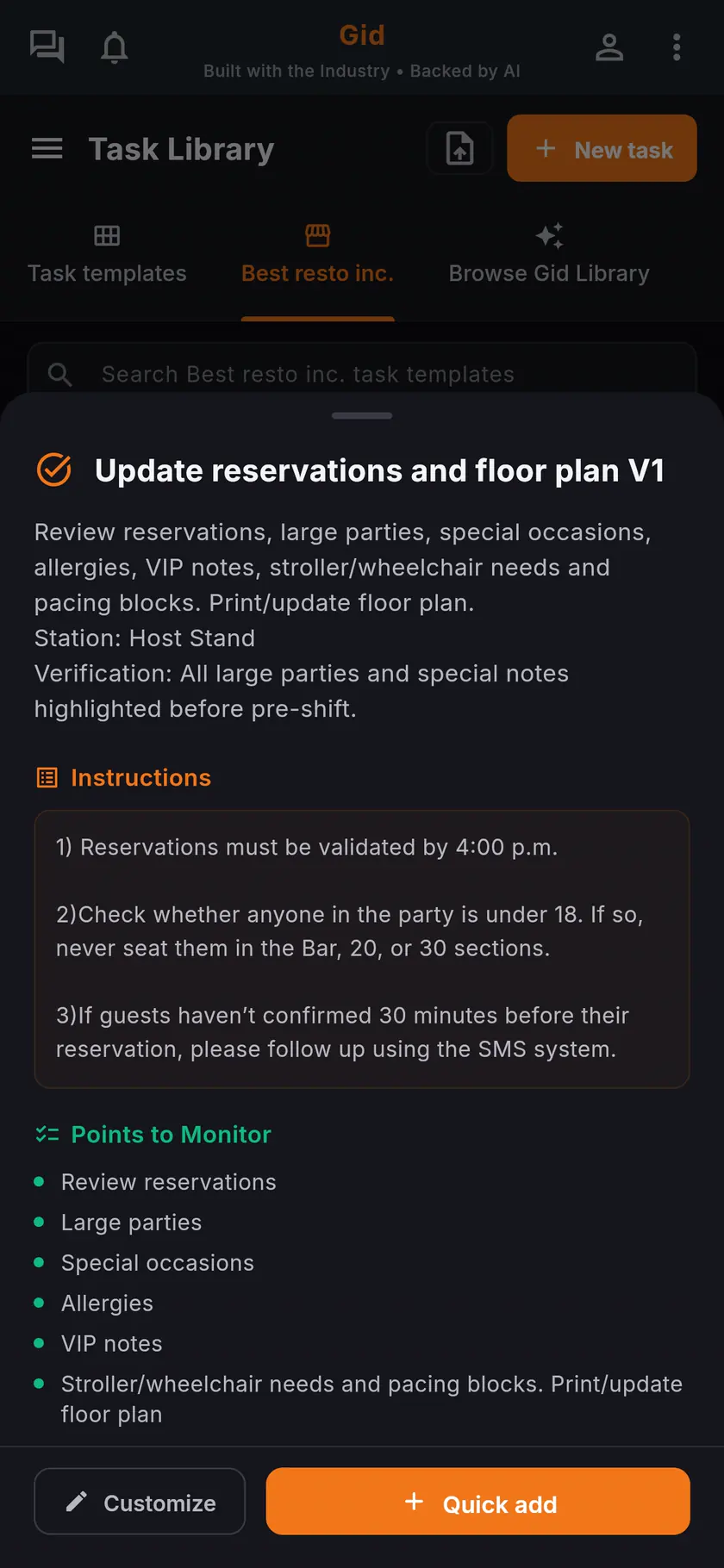
A task template in the Gid Task Library on a phone, with its instructions and the points to monitor.
Tasks with their instructions and the points to monitor, on the phone of whoever does them.
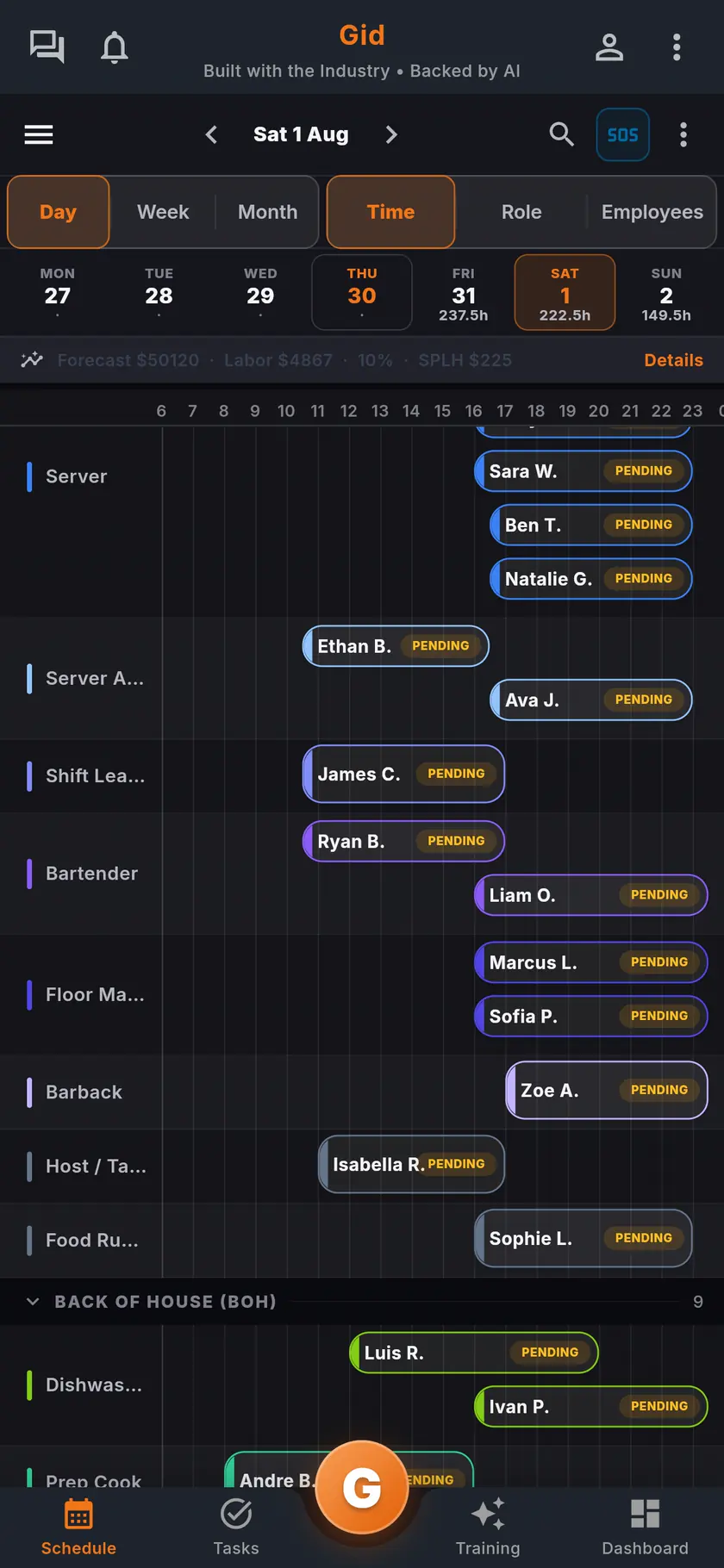
The Gid day schedule on a phone: shifts by role, each with its confirmation status, and the forecast and labor above.
The day by role, with each confirmation, and the forecast and labor above it.
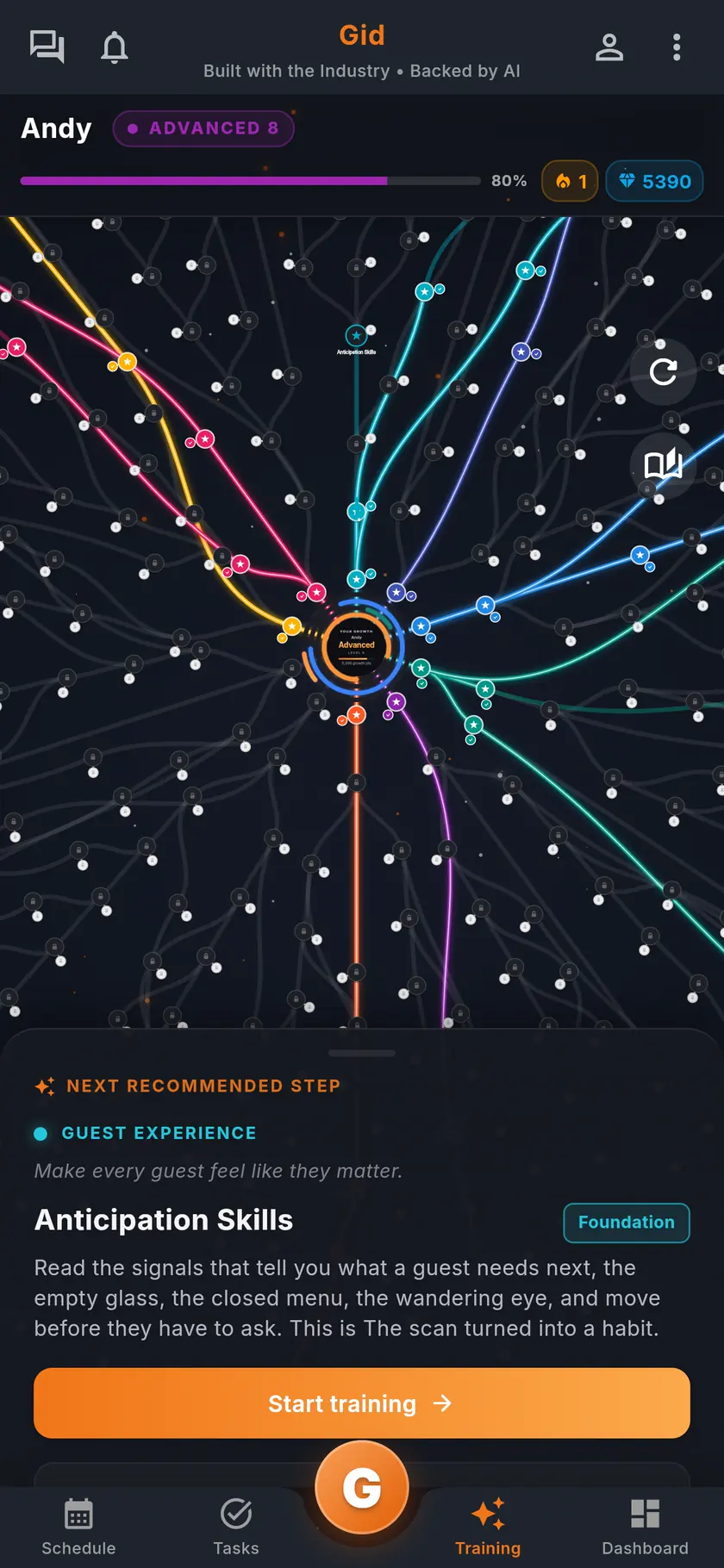
Gid training on a phone: the teammate's learning map and the next recommended session.
Each teammate's learning map, and the next recommended session.

Who wrote it, and what Gid is

About this page

Written by the Gid team

Members of the Gid team owned and operated restaurants before building software. Every Jolt line on this page comes from the official Jolt and SmartSense pages, dated where it appears. If one has changed, tell us at contact@gidai.ca and we will correct it.

What Gid is

One connected operations app for restaurant teams: scheduling, tasks, team chat, continuous training, onboarding, performance evaluations and an AI assistant grounded in your own documents. One price per location, whole team included.

Make every shift lighter.

Set up your workspace and try every part of Gid on your own. When you know it earns its place, your team rides in next.

No credit card. No commitment.

It’s on us to show you what Gid can do and earn its place in your daily operations.

Last updated October 25, 2026