Restaurant operations • Availability
Restaurant staff availability, before the schedule.
Each person sets a usual week once, marks the days that change, and answers when you open a new period. The schedule is then built on what the team can actually work.
No contract. No commitment. No credit card.
Our job is to earn our place on your floor, not to lock you in.
Last updated September 24, 2026
Gid
Founders rate • Lifetime$29 $89 USD per location per month
- Tasks, schedule and team chat in one app
- Continuous training tuned to your menu
- Daily reports that surface what matters
- An AI assistant that knows your documents
- Your whole team in. Adding people never raises your bill.
First 250 worldwide • rate locked, no contract
Why availability goes wrong
The schedule is only as good as the availability behind it
Most scheduling mistakes start before the schedule: an availability nobody wrote down, or wrote down in several places at once.
Texts
Availability lives in texts
One person texts, another tells you at the pass, a third writes it on the sheet in the break room.
Stale
Last semester's availability
A server's classes changed in January. The schedule still thinks they are free on Tuesdays.
Deadlines
Answers arrive after the schedule
Half the team answers after the week is built, and the schedule is rebuilt twice.
Hours
Too many hours, or too few
One person wants thirty hours and gets fifteen, another wants twenty and gets forty. Both start looking elsewhere.
Time off
Days off get lost
A day off asked for in March is forgotten by May, and someone is scheduled on the day of a wedding.
Cover
Covering a gap means calling everyone
When someone calls out, the manager calls down the list without knowing who is actually free.
The availability form
What to ask every employee about availability
Four blocks to copy into your own form, or to ask out loud at the next team meeting.
Usual week
The pattern
- For each day of the week: available, off, or available only to replace someone.
- The hours they can work on the days they are available.
- Days they would rather not open, or rather not close.
- When the pattern changes: a new school term, a second job, childcare.
Hours
How much they want to work
- The hours they want each week, and the most they can take.
- How many days a week they want to work.
- Whether they want extra work when it opens up.
Time off
The days that change
- Specific days off, asked for with the dates, as early as possible.
- Usually-off days when they are free after all.
- A deadline for requests, so the schedule is not rebuilt.
Before each schedule
The period
- Open a period for the weeks you are about to schedule, with a deadline.
- Ask everyone to confirm or update their availability before the deadline.
- Follow up with the people who have not answered, before you build.
How Gid collects it
Eight things availability needs, and how Gid handles each
The same form, run in the app your team already has on its phone.
| What it needs | In Gid |
|---|---|
| A usual week, set once | Each person saves a usual week: every day Available, Off or Replacement only, with the hours they can work. |
| The hours each person wants | They set the hours and the days they want each week, ideal and maximum, and the manager is flagged when a week goes over the maximum. |
| Days off and exceptions | In Time off and exceptions, they pick the dates, mark them unavailable or available, and submit. |
| An answer before each schedule | When a manager opens a scheduling period, each person submits availability for it before its deadline, starting from their usual week. |
| Knowing who has not answered | The Availability Cockpit shows who has given availability for the period and who has not, and one tap reminds the team, at most once a day. |
| A manager's correction | A manager can override one person's availability for a day, with a note kept in the activity history. |
| A schedule that respects it | When you assign a shift, Smart assign leaves out people with the wrong role or who are not available that day. |
| Extra work for the right people | An open shift in the Shift Marketplace cannot be picked up outside someone's saved availability, over their weekly hours, or over approved time off. |
How it works in Gid
Availability first, then the week
Three views, one app, nothing retyped from a sheet.
Step 1
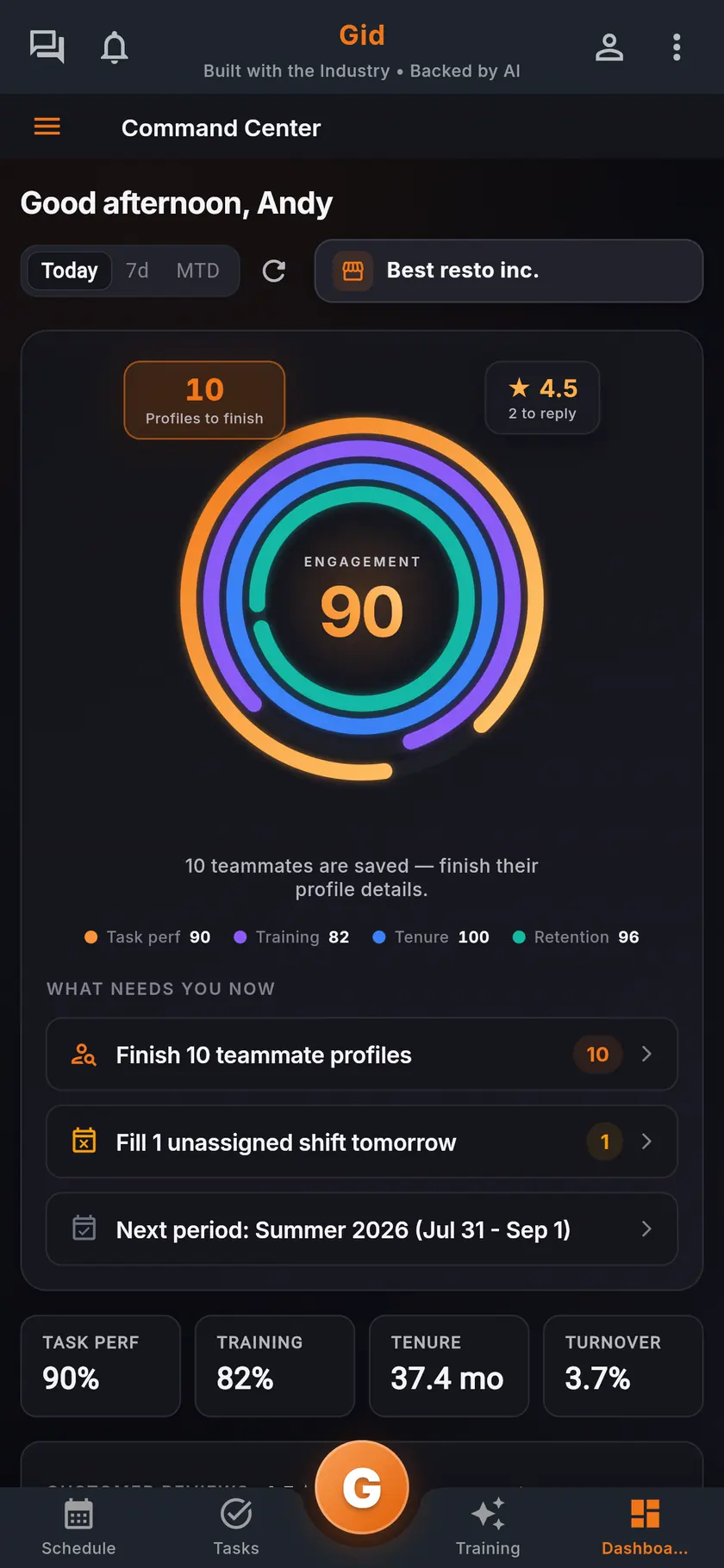
Open the next period early
The command center shows the next scheduling period, so availability is collected before the week is built, not after.
Step 2
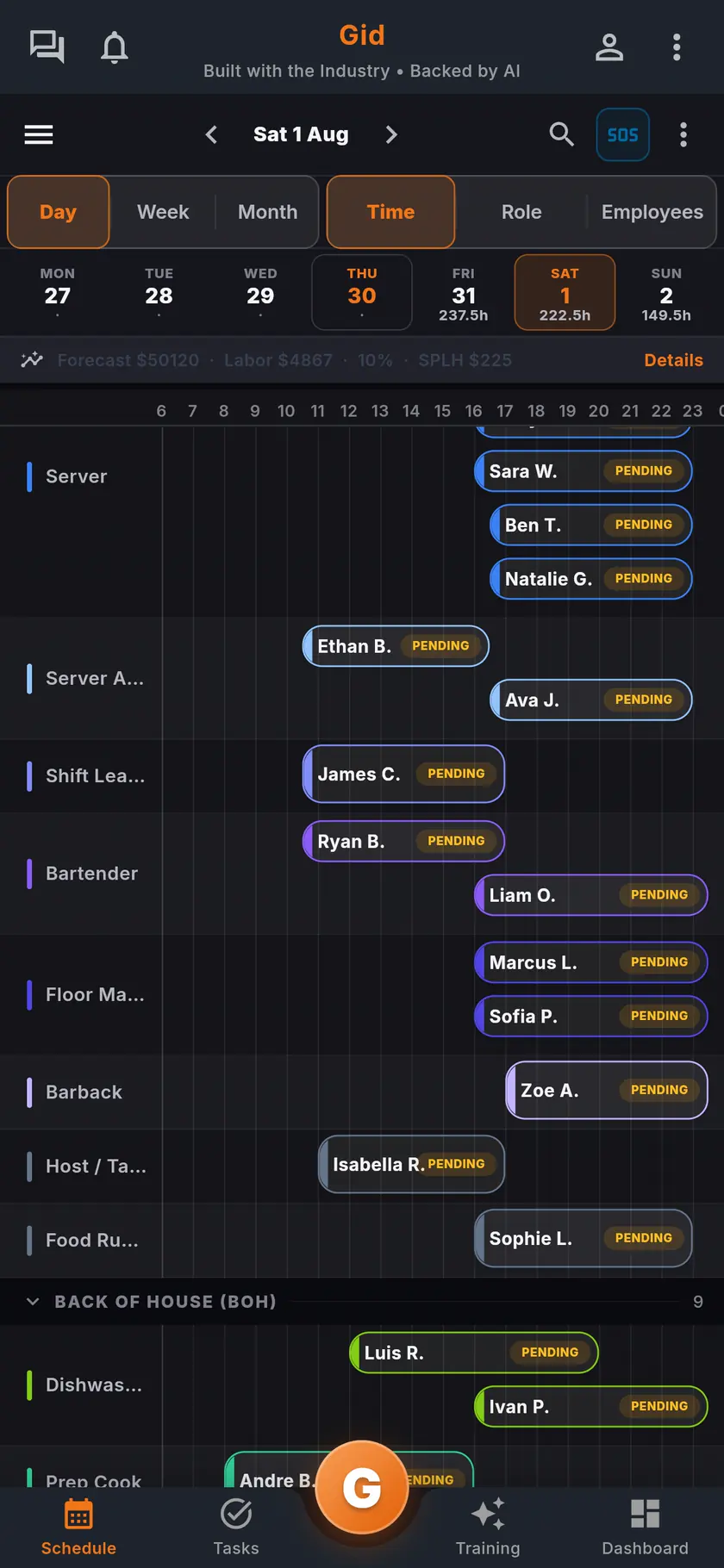
Build on what the team can work
Build the week with availability already behind it. Once it is published, each person confirms their own shifts on the phone.
Step 3
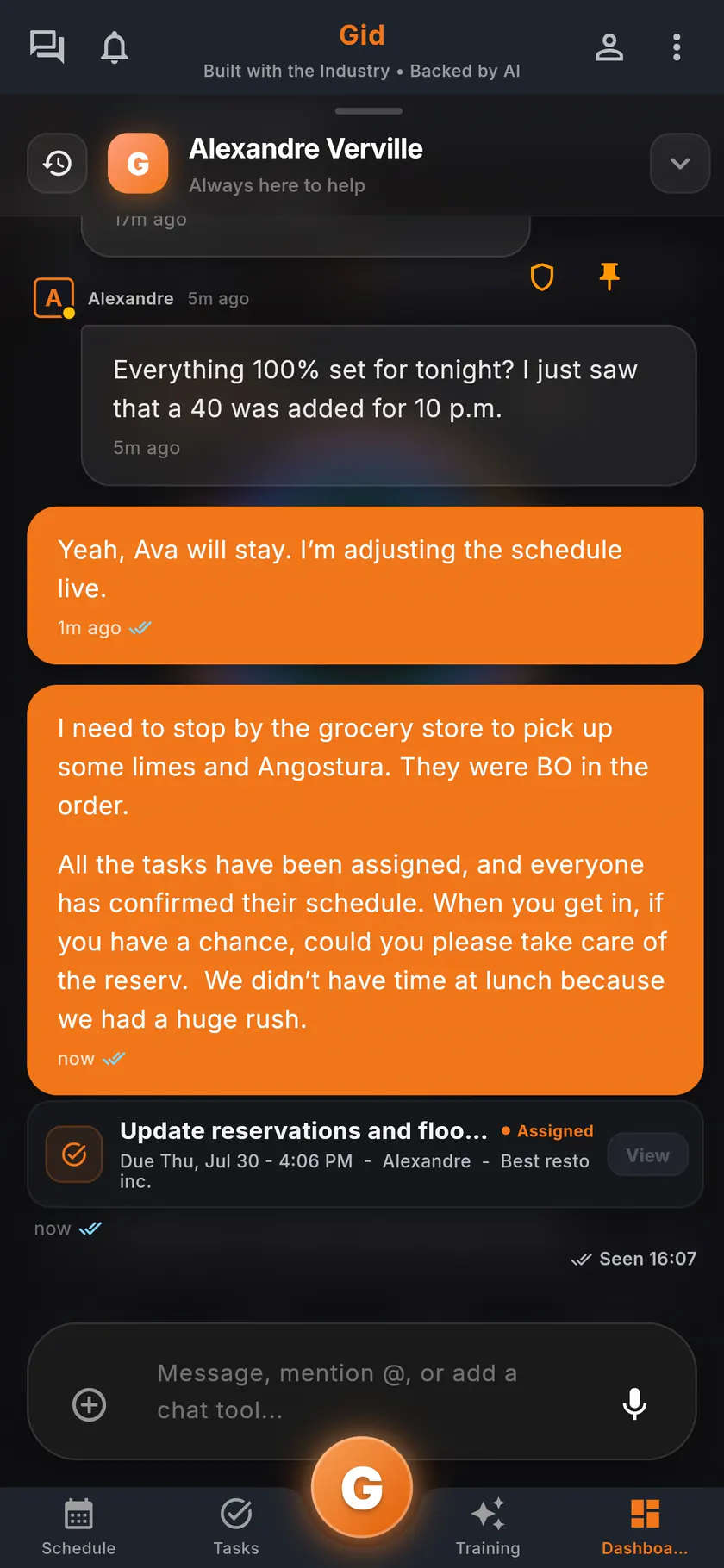
Cover a gap in the conversation
When someone calls out, open the shift in the schedule and start a discussion with the people it concerns.
A real period
The summer schedule, in Gid
An example of one scheduling period, from the first question to the published week.
Two weeks before
The period opens
The manager opens the summer period with a deadline. Each person starts from their usual week and marks the days that change.
The deadline
Nobody is chased by text
The Availability Cockpit shows three people without an answer. One tap reminds the team, and two of them answer that evening.
The build
The week fits the team
Smart assign suggests people with the right role who are available. A server who asked for fewer hours is not pushed over their maximum without the manager knowing.
The stack you have today
Six apps that do not talk to each other, or one that does
Nothing here is a knock on any specific tool. It is what happens when the schedule, the tasks, the training, the chat, the documents and the guest reviews were never built to know about each other.
6 apps 6 logins 6 bills
- SchedulingThe week is posted, the swaps still happen by text.
- Tasks and checklistsA missed closing task shows up the next morning.
- Onboarding and trainingNew hires learn from whoever is on shift.
- Team chatShift talk buried between personal texts.
- Documents and menusRecipes and SOPs lost in folders and binders.
- Google reviewsReplies go out, the lesson never reaches the team.

Gid
One app on iOS, Android and the web
1 app 1 login 1 price
- Scheduling
- Tasks and checklists
- Onboarding and training
- Team chat
- Documents and menus
- Google reviewsReply drafts, recurring themes, lessons for the team
$29 USD per location per monthWhole team included
First 250 worldwide • rate locked, no contract
The honest part
When a sheet on the wall is enough, and what Gid does not do yet
Not every restaurant needs an availability tool. Here is when yours does not.
A sheet on the wall may be enough if
- Your team is small and works the same days every week.
- Nobody's availability changes during the year.
- You build every schedule with the whole team in the room.
Limits of Gid today
- In the Shift Marketplace, a shift can be handed to a teammate, opened to the team, covered or picked up. A direct trade of one shift for another is not available today.
- Gid POS and Gid Reservations are listed as coming soon. They are not in your hands yet, and we will not bill you for them until they are.
- The free workspace brings you plus one helper. Bringing the full team means a paid location.
Questions, answered
How do restaurant employees set their availability in Gid?
In My Availability, each person saves a usual week, every day Available, Off or Replacement only, then adds time off and exceptions for the dates that change.
What if someone's availability changes for one week?
They add an exception for those dates in Time off and exceptions, and mark them unavailable or available. Their usual week does not change.
Can I see who has not given their availability?
Yes. The Availability Cockpit shows who has given availability for the period and who has not, and one tap reminds the team, at most once a day.
Does Gid stop me from scheduling someone who is unavailable?
When you assign a shift, Smart assign leaves out people who are not available that day, and an open shift cannot be picked up outside someone's saved availability. A manager's override for a day is kept, with its note, in the activity history.
Can staff ask for more hours?
Each person sets the hours and the days they want each week, and can pick up open shifts in the Shift Marketplace within their availability and weekly hours.
What does availability in Gid cost?
$29 USD per location per month at the Founders rate, $89 USD at the public rate, with your whole team included; adding people never raises your bill. Availability, the schedule, the tasks and the team chat are the same app, at the same price.
About this page
Who wrote it, and what Gid is
Written by the Gid team
Members of the Gid team owned and operated restaurants before building software. The availability form above is free to reuse. If your team needs something it misses, tell us at contact@gidai.ca.
What Gid is
One connected operations app for restaurant teams: scheduling, tasks, team chat, continuous training, onboarding, performance evaluations and an AI assistant grounded in your own documents. One price per location, whole team included.
Make every shift lighter.
Set up your workspace and try every part of Gid on your own. When you know it earns its place, your team rides in next.
No contract. No commitment. No credit card.